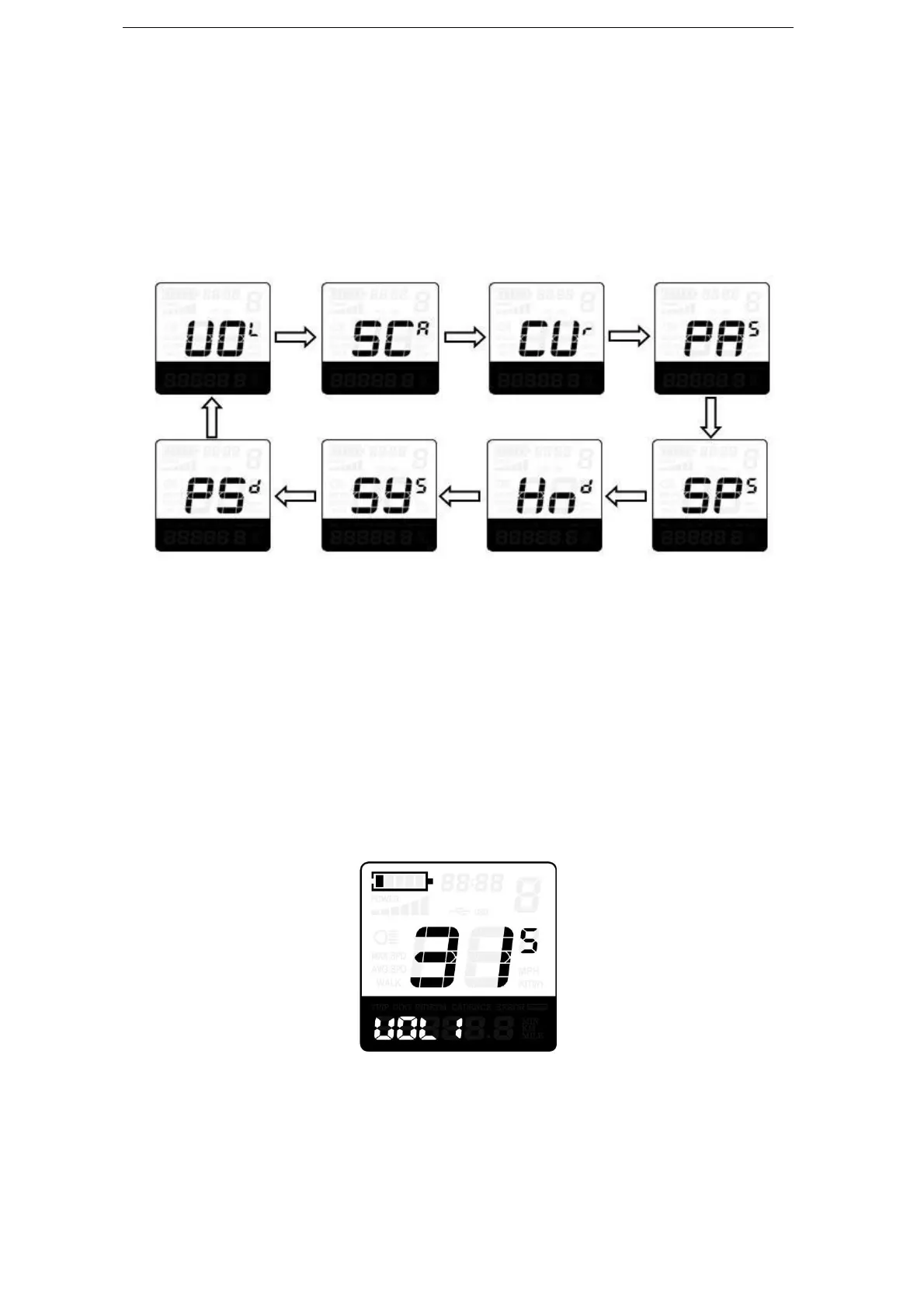
Settings, Throttle Function Settings, System Settings and Power-on Password Settings.
To access Personalized Parameter Settings page, hold both the “+” and the “-” button
for 2s (General Settings page) and hold both the “+” and the “-” button for 2s again.
To access the corresponding setting, press the “+” or the “-” button to increase or
decrease until the desired item is displayed, and then press the “i” button to confirm.
Setting Items Interface
◆Battery Power Bar Settings
VOL represents voltage settings. Each bar represents a voltage value. 5 bars voltage
values must be entered one by one. For example, VOL 1 is first bar voltage value. The
default value is 31.5V.
To set battery power bar, press the “+” or the “-” button to increase or decrease the
number.
To store a changed setting, press the “i” button and access the second bar. You can set
the values for other bars in the same way. After 5 bars voltage values are entered, hold the
“i” button to confirm and then return to the previous menu.
Battery Power Bar Settings
◆Power Assist Level Settings (optional)
Assist Level Option
‘SCR’ represents power assist level settings. There are 8 modes for your choice :0-3,
1-3, 0-5, 1-5, 0-7, 1-7, 0-9, 1-9. The default value is 0-5.



 To Next Page