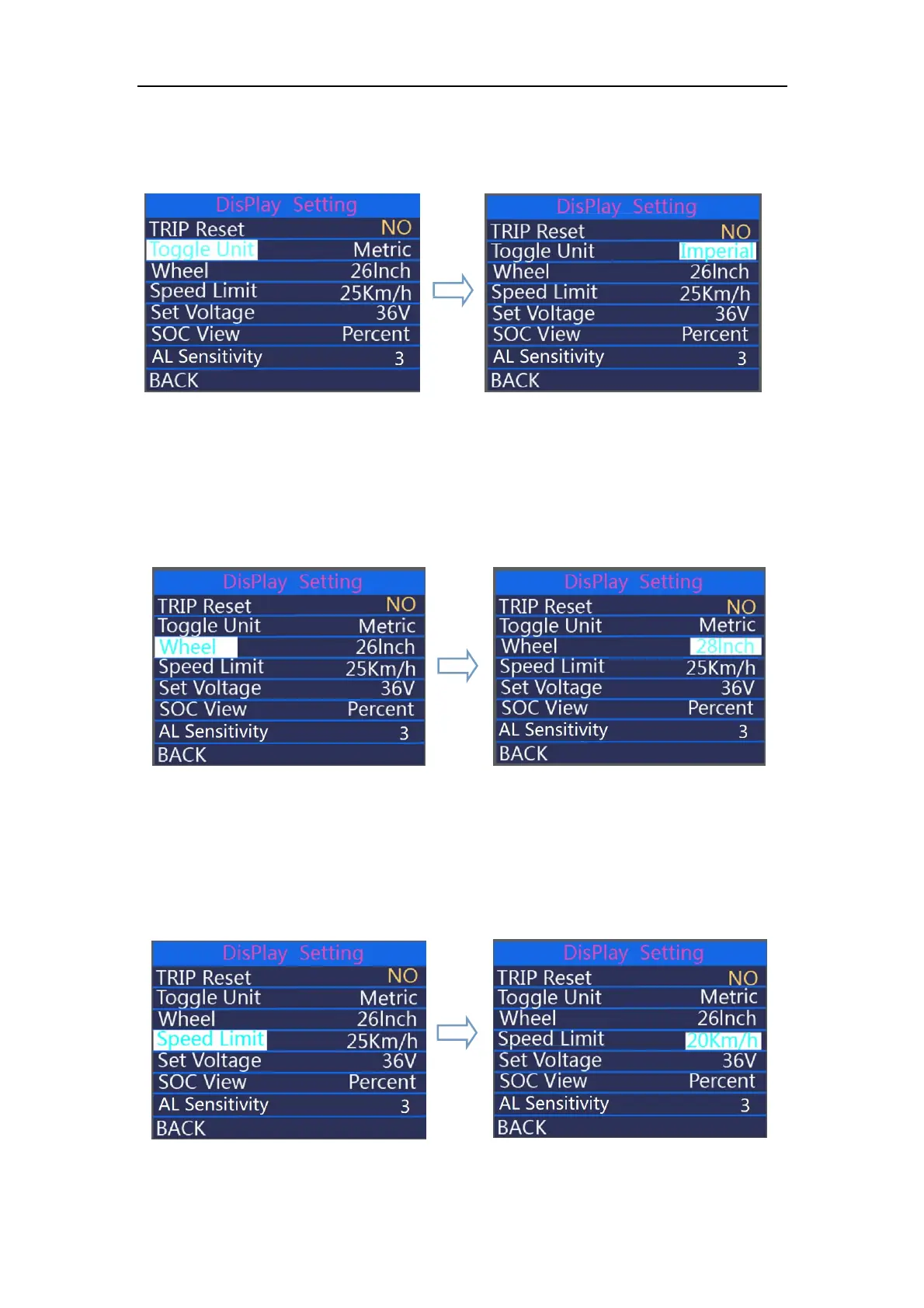
“Metric”.To toggle unit, press the “+” button or the “-” button to choose the desired setting
item, and then press the “on/off ” button to save and return back to “Toggle Unit”
Hold “on/off ” button to return to home page or press BACK to return home page.
Toggle unit interface
◆
Wheel represents wheel diameter settings.
Press the “+” or the “-” button to increase or decrease until the desired value is
displayed. To store a changed setting, press the “ on/off ” to save and return back to Wheel.
hold “ on/off ” button to return to home page or press BACK to return to home page.
Wheel setting interface
◆Speed limit
Press +/- to select “Speed limit” and press on/off to enter the settings. Press +/- to choose
the speed limit value from 12-40 km/h. press on/off to save and return back to “ Speed limit” .
hold “on/off ” button to return to home page or press BACK to return to home page.
Speed limit interface



 To Next Page