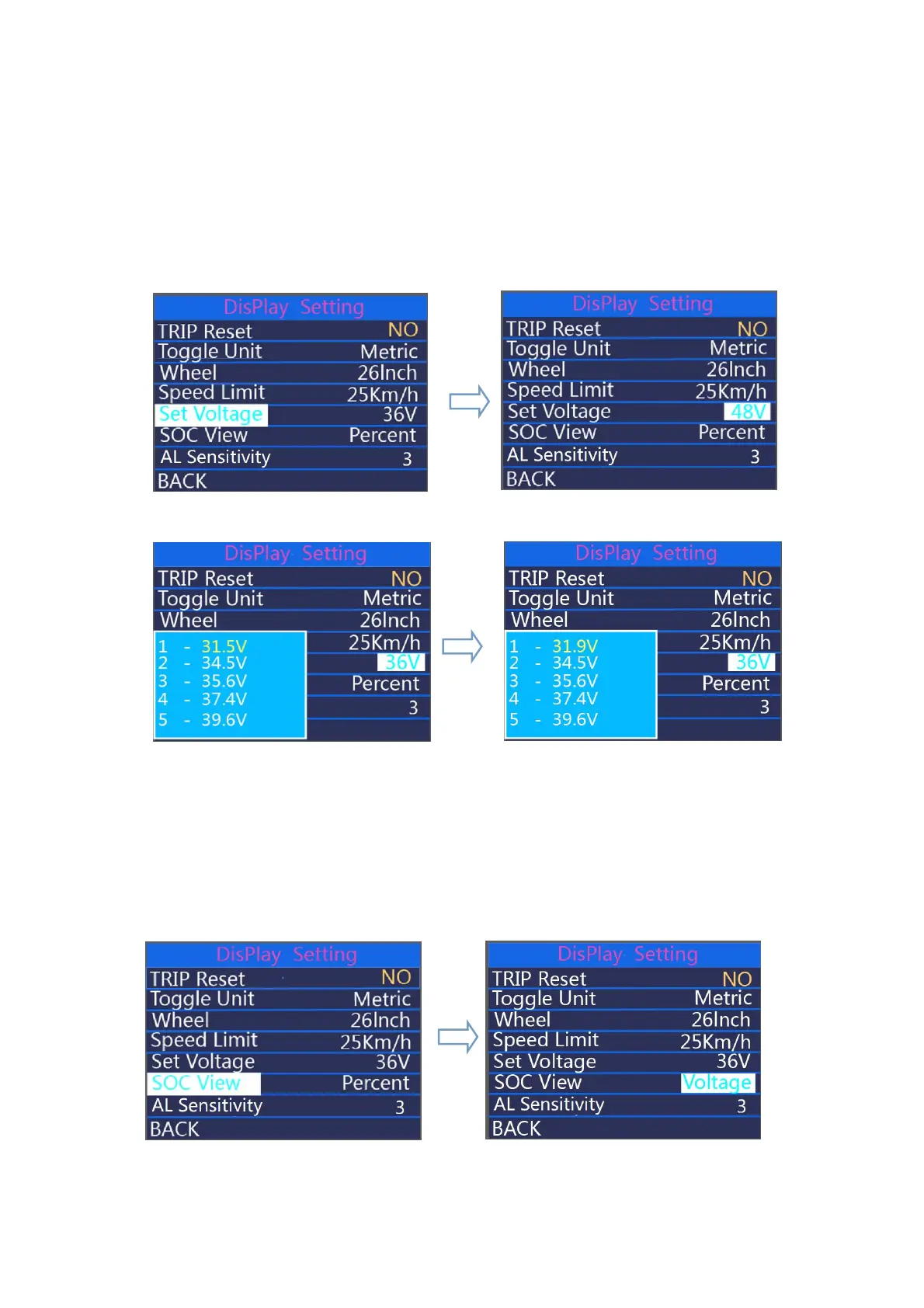
◆Set Voltage represents voltage settings.
Press on/off button to set the voltage power bar values. 5 bar values are to be set one
by one. For example (36V mode), the first bar voltage value by default is 31.5V and press +/-
button to change this value and press on/off to confirm and access the next bar value setting.
After 5 values are set, press on/off to confirm.
hold “on/off” button to return to home page or press BACK to return to home page.
Voltage 36V/48V changeable
Segmented voltage values
◆
SOC view
Press +/- to select SOC View and press on/off button to enter the setting. Press +/- to
change between Voltage values and percentage of Battery. The default view method is
percentage. Press on/off to store the data and exit SOC view settings.
Hold “ on/off ” button to return to home page or press BACK to return to home page.
SOC view interface



 To Next Page