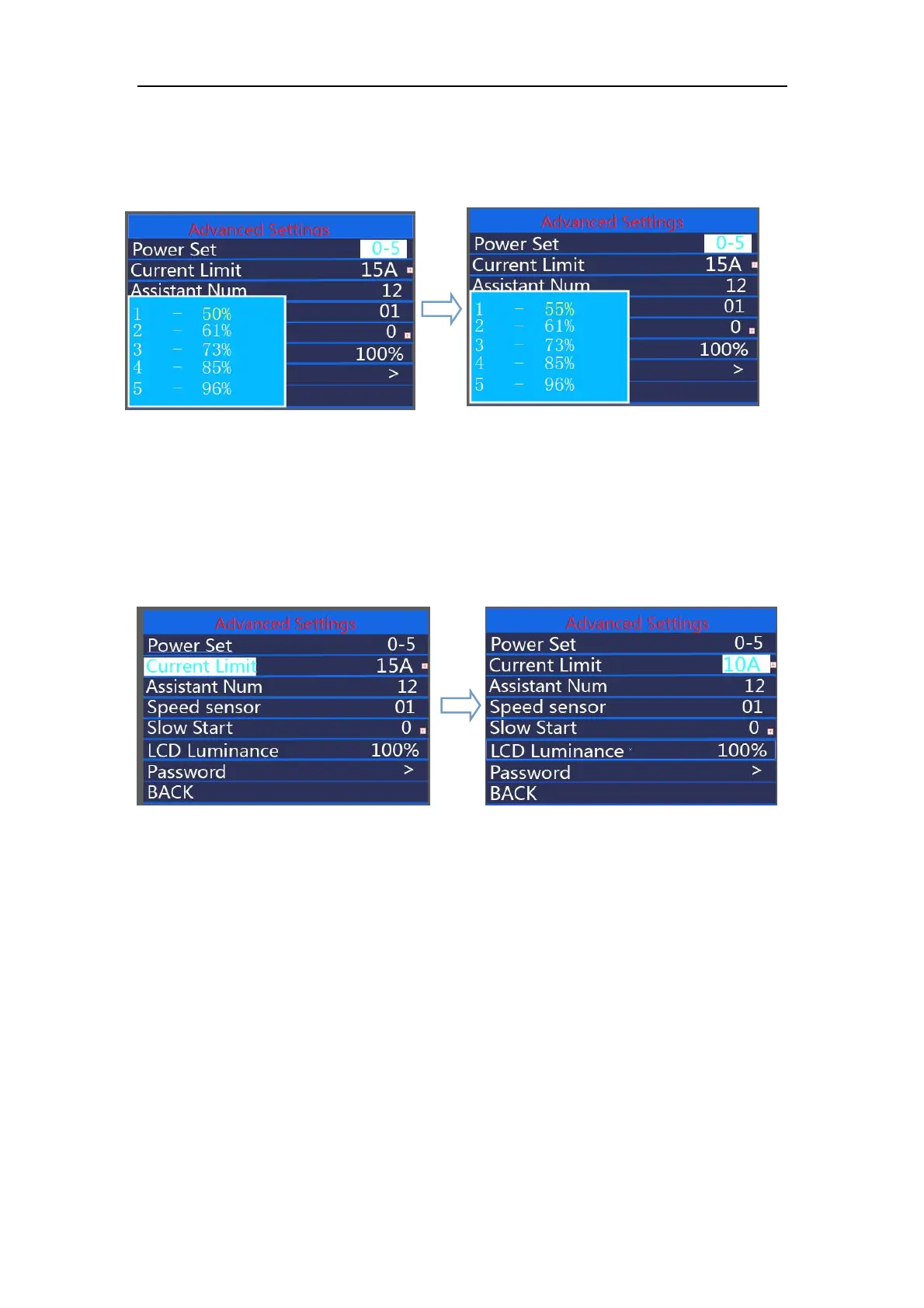
value, and press the " on/off " button to confirm and move to the next assist level ratio
settings.After all assist level ratios were set, *Please refer to assist level ratio defaults in
Attached list 2.
hold on/off button to confirm and store the settings.
Assist level ratio settings
◆
Current limit
Current Limit represents controller current limit settings. To change basic settings, press
the “+” or the “-” button to increase or decrease the value.To store a changed setting, press the
“on/off ” button. Or
Hold on/off button to return to the home page or press BACK to return to home page.
Current limit interface
◆Assistant Num
Assistant Num represents numbers of magnets in the PAS sensor. The settable
numbers is 04 to 09, 12, 24, 32. To change the numbers of magnets in the PAS sensor,
press the “+” or the “-” button to increase or decrease the values. To confirm and store a
changed setting, press on/off button.
Hold on/off button to return to the home page or press BACK to return to home page.



 To Next Page