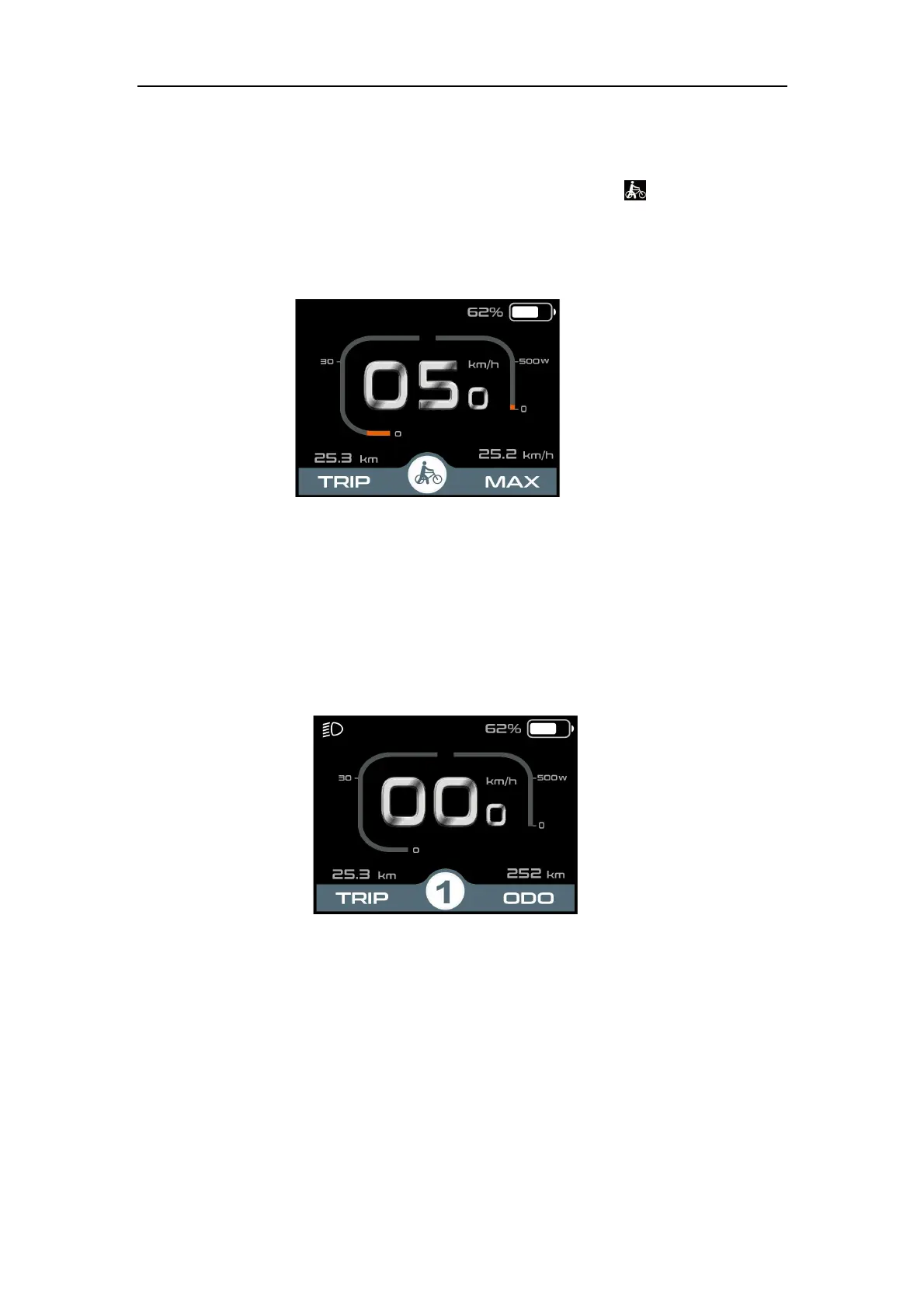
◆Switching Push-assist Mode On/Off
To activate the push-assist function, keep holding “-” button. After 2 seconds , E-bike is
activated to go at a uniform speed of 6 Km/h while the screen displays .
The push-assist function is switched off as soon as you release the “-” button. The E-
bike system stops the power output immediately and get backs to the status before the push-
assist is activated.
Push-assist Mode
◆light sensor function and switching the lighting ON/OFF manually
Display has a light sensor which automatically switches ON/OFF the lights. When there’s a
lack of light or riders drive ebike at night, display backlight is on and in the meantime, display
sends command to controller to turn on the bike headlight. When the light condition is good,
display back-light and bike light will be off. However, when the user manually holds the +
button for over 2 seconds, display will be turning on/off the headlight and the light sensor
function is not in effect any more.
Lighting on/off
◆
Assist Level
Press "+" or "-" button to switch the E-bike system assist level, change the motor output
power, The default assist level ranges from level “0”to level “5”, The output power is zero on
Level “0”. Level “1” is the minimum power. Level “5” is the maximum power. The default value
is level “1”.



 To Next Page