Button definition
3 buttons on KD686 display,on/off, +/light, -/push-assist
General Operation
◆
Switching the E-bike System On/Off
Hold the on/off button to switch on E-bike system and provide the power supply for the
controller. When display is on, hold the on/off button to switch off the bike system.The E-bike
system no longer uses the battery power.When the E-bike system is switched off, the
leakage current is less than 1 μA.
■When E-bike is not in use for 5 minutes, the E-bike system will switch off automatically.
◆Display Interface
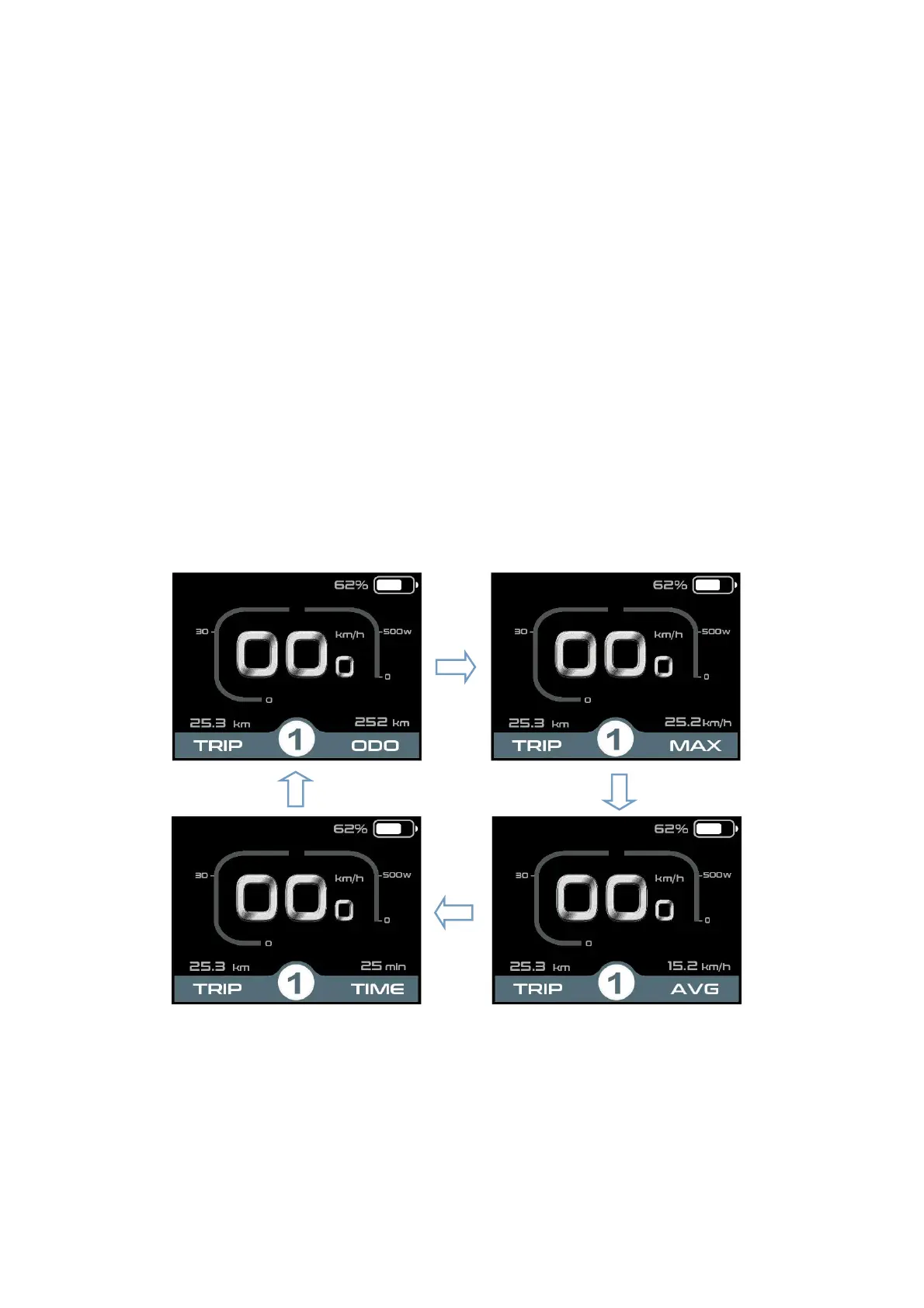
After switching on the E-bike system, the display will show Current Speed and Trip Distance,
ODO, Power, Battery level, and Assist level.
Press the “on/off” button to check: ODO (km)--> Max Speed (km/h)-->AVG speed (km/h)--
>Trip time (min)
Display interface cycle



 To Next Page