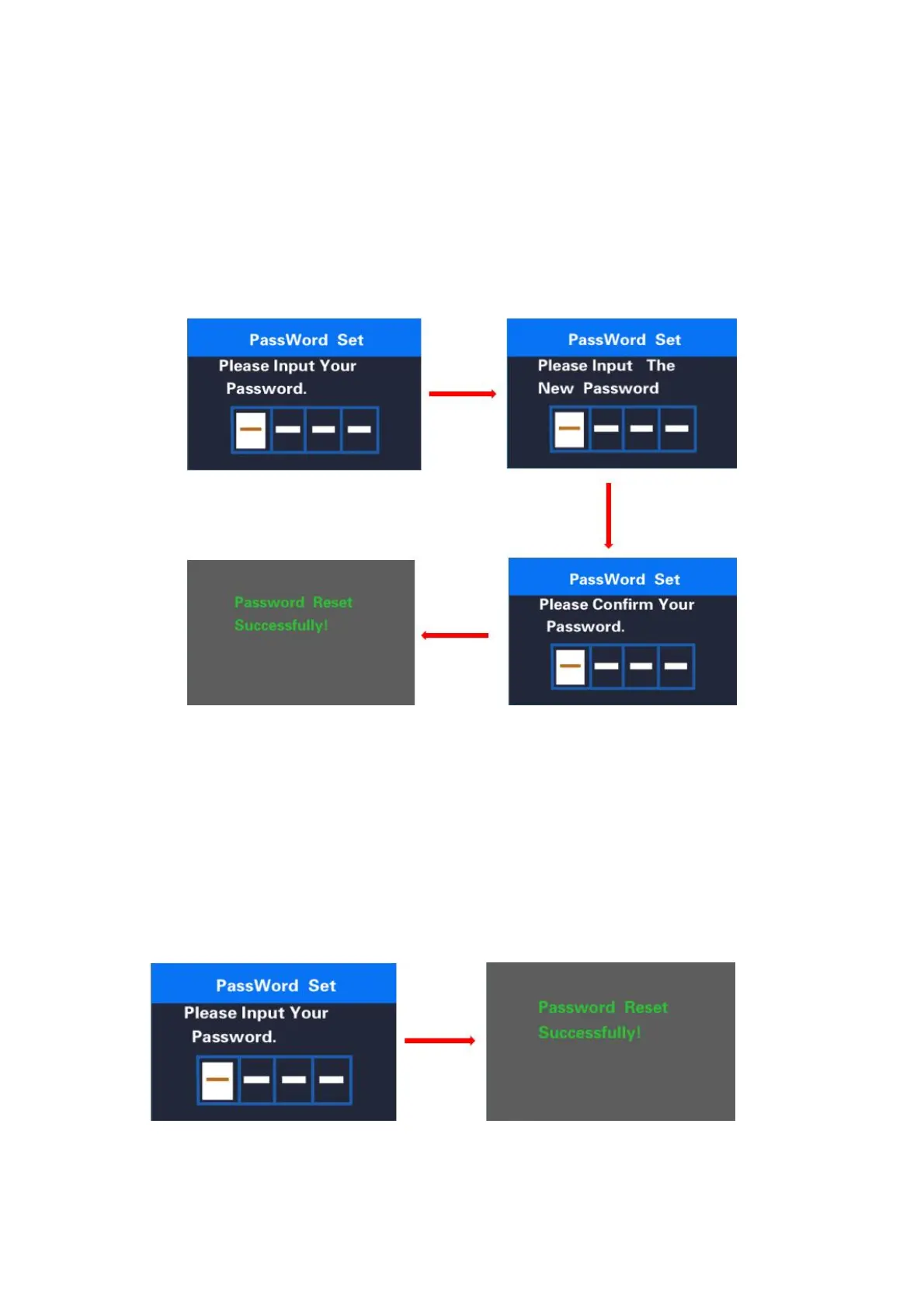
◆Password Change.
When password is enabled. ‘Reset password’ will add to Password interface. Press +/-
button to select ‘Reset Password’ and press on/off to confirm. Meanwhile, the interface asks for
current password. When the correct password is input, the interface prompts to set a new
password. Then follow the operations of setting a new password. The interface will be back to
original settings page in 2 seconds after the password is reset successfully.
Hold on/off to return to the home page or by route’ BACK’
→
’home page’.
Password change interface
◆
Password Disable
In “Start PassWord” interface, choose OFF and short press on/off to confirm. Meanwhile,
display interface asks for a password. When the correct password is input, the display prompts
‘password function disabled’. After 2 seconds, the interface will be back to original settings page.
Hold on/off to return to home page or by route’ BACK’
→
’home page’.
Password disable interface



 To Next Page