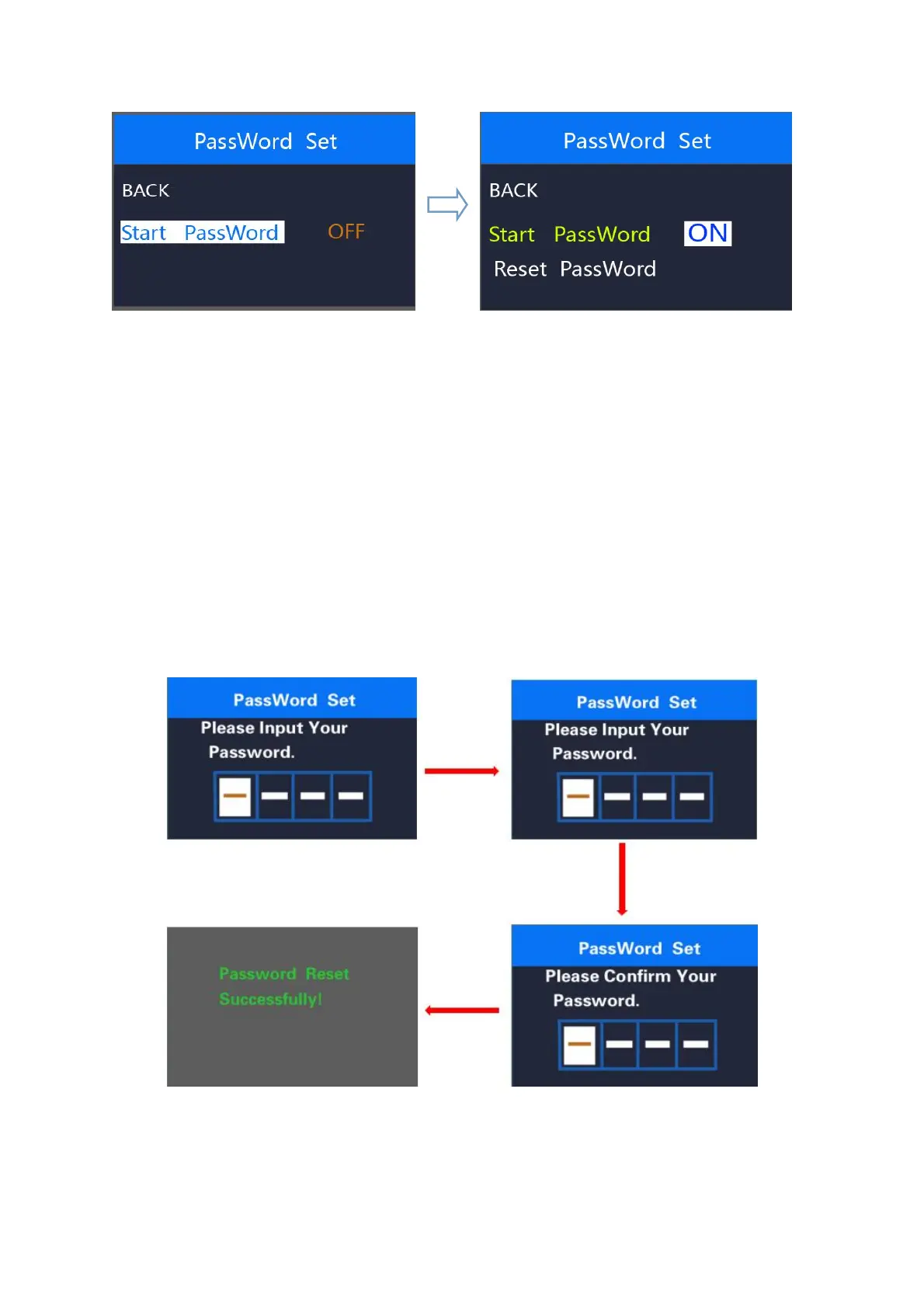
Password input setting interface
◆Power-on password enable
In “Start PassWord” interface, choose ‘ON’ and press on/off to confirm. Meanwhile, display
interface asks for a password. Press +/- button to increase or decrease numbers and press
on/off to confirm the first digit and move to the next digit. After 4 digits of a password are input,
press on/off to confirm and the interface will prompt for re-entering the password. If two inputs
are consistent, the system prompts that the password is set successfully. If two inputs are
inconsistent, the first input needs to be repeated correctly and confirm the new password again.
The interface will be back to original settings page in 2 seconds after the password is set
successfully.
Hold on/off to return to the home page or by route’ BACK’
→
’home page’.
Password enable confirmation interface



 To Next Page