76 N5186A MXG and X-Series SA Measurement Guide
5G New Radio (NR) Measurements
5G Waveform, EVM, and ACP Analysis
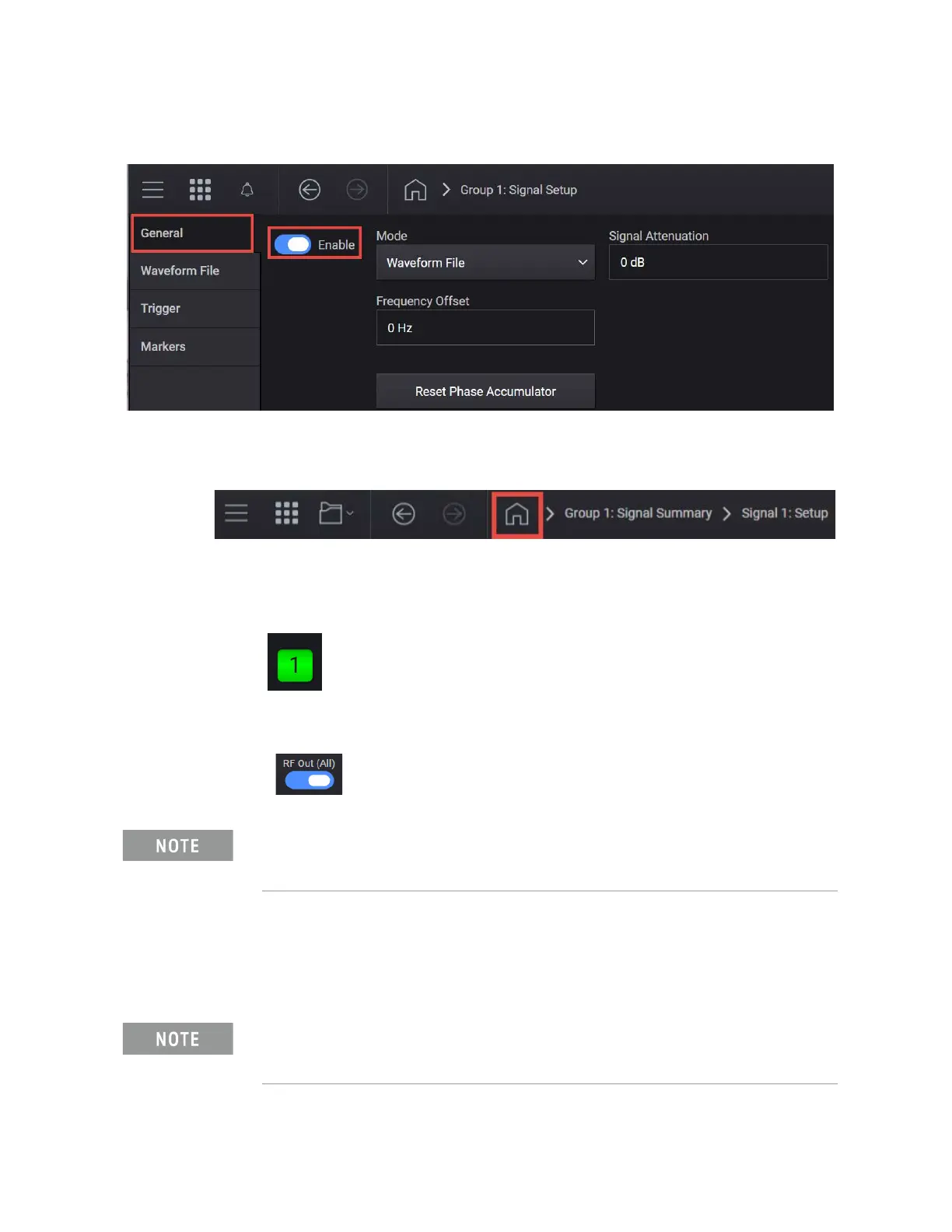
7. Select the General tab > Enable.
8. Close the Vector Modulation Signal Setup by selecting the Home icon at
the top of the display.
9. Set RF Out to On by selecting the numbered channel indicator switch.
This enables the RF Out for the indicated channels, in this case Channel 1
if using a multi-channel MXG.
10.For multi-channel instruments only: In the top right corner of the display,
set RF Out (All) to On by selecting the switch.
On the X-Series Signal Analyzer:
1. Select Mode Preset to set 5G NR V2X mode to a known state.
2. Select Mode/Meas > 5G NR & V2X Mode > ACP Measurement.
3. Select Frequency and set Carrier Reference Frequency to 3.5 GHz.
In order to turn on RF for any channel, both the RF Out for the specific
channel (for example, Channel 1 or Channel 2), and RF Out All must be
turned on.
If accessing the instrument via a Remote Desktop connection, select the
Screen tab (at the top of the display) to open the
Mode/Measurement/View Selector window.



 To Next Page