N5186A MXG and X-Series SA Measurement Guide 83
Custom Modulation Measurements
Using PathWave E7608APPC to Create a Waveform File then Automatically Configure
the Analyzer to View the Results
Setup Auto Configure Analyzer
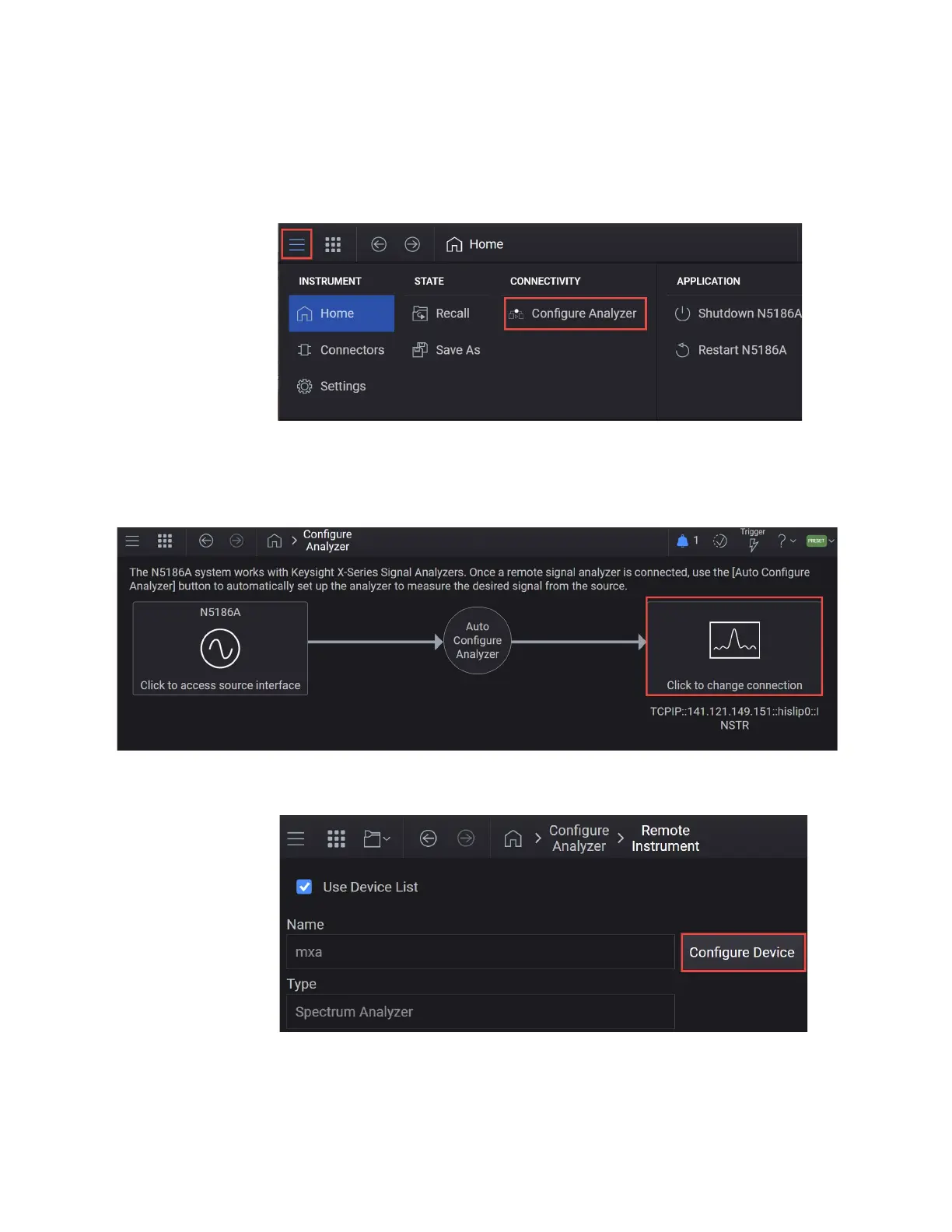
1. Select the System menu (triple bar tab at the top left of the window) and
select Configure Analyzer.
2. In the Configure Analyzer setup, click on the Remote Signal Analyzer block
(on far right) to setup the communication channel to the Keysight X-Series
Signal Analyzer.
3. Select the Use Device List checkbox > Configure Device



 To Next Page