84 N5186A MXG and X-Series SA Measurement Guide
Custom Modulation Measurements
Using PathWave E7608APPC to Create a Waveform File then Automatically Configure
the Analyzer to View the Results
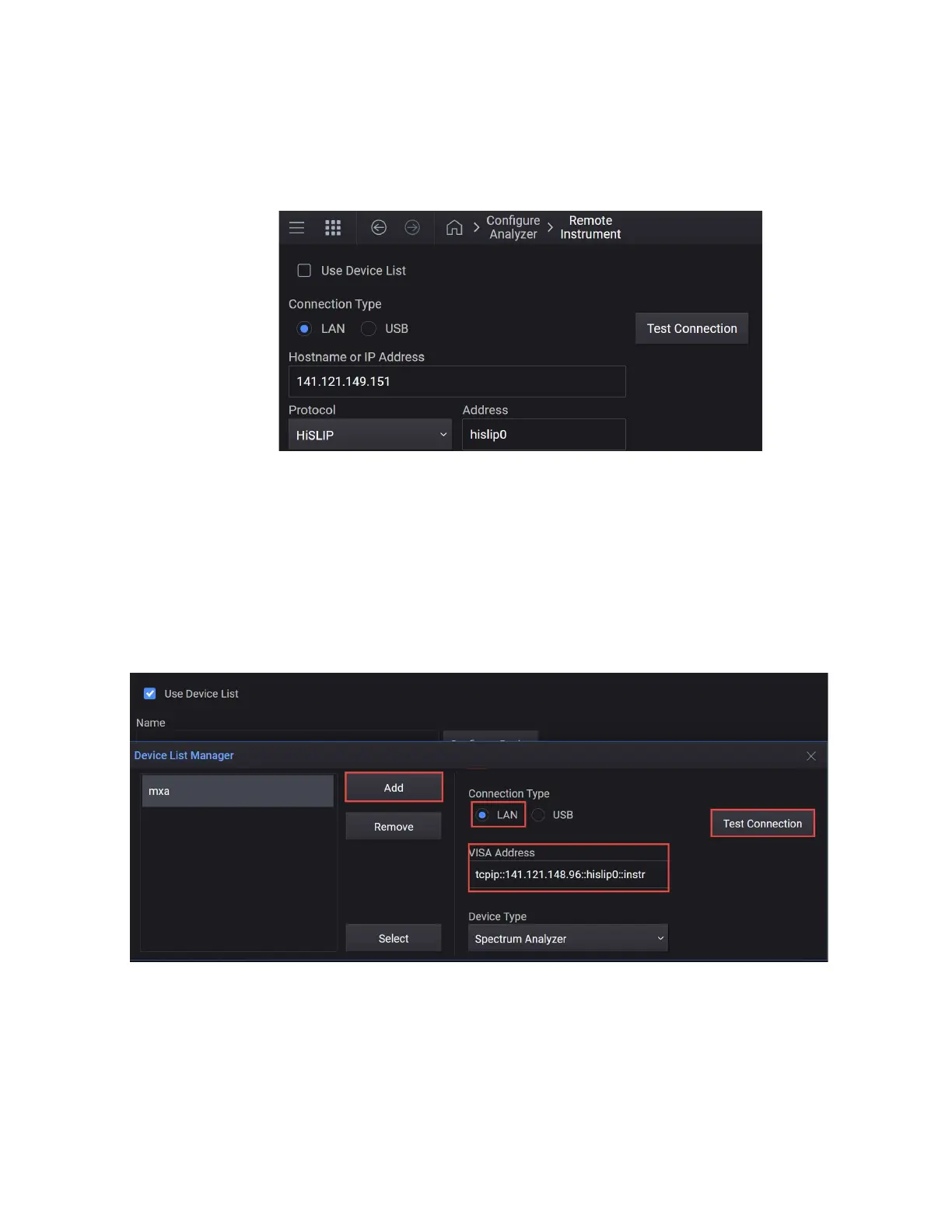
Alternatively, you can just enter the device information for a one time use.
The Use Device List allows you to set up more than one Spectrum Analyzer
to be used for a channel’s Auto Configuration.
4. In the Device List Manager, select Add and enter a name for your X-Series
Signal Analyzer:
— Set Connection Type to LAN
— Enter the VISA Address of the analyzer.
— Test Connection
Select the Info icon (Bell shaped icon at top right of the display) to
view the connection status.



 To Next Page