52 N5186A MXG and X-Series SA Measurement Guide
Corrections
Corrections/De-embedding Using PathWave E7653APPC Software
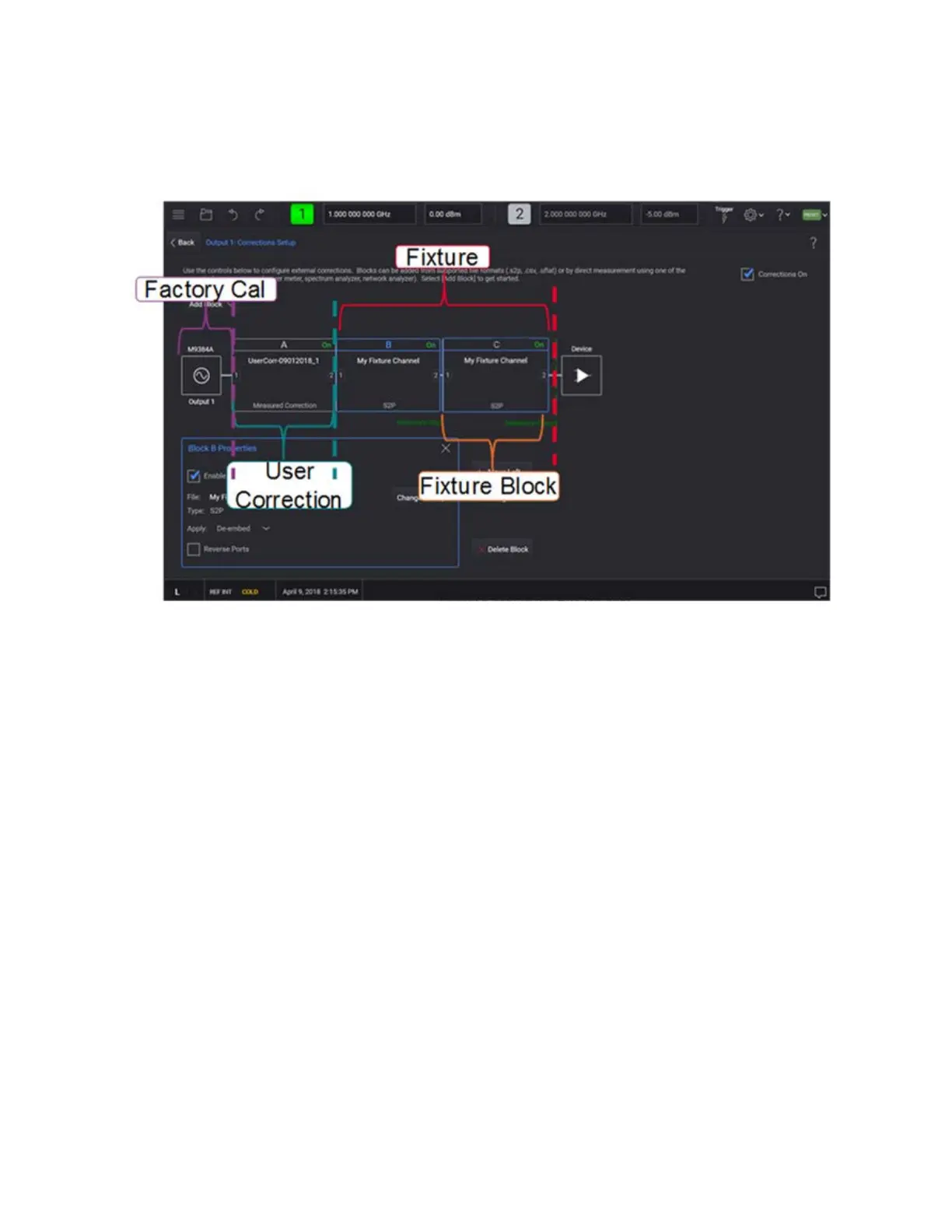
Block A is dedicated for User Correction. The image below shows how
blocks are assigned in the User Correction and Fixture block.
10. On the signal analyzer, Restart the (on the left corner of the user
interface) measurement (because it is applying averaging). Observe how
the measured corrections impacted the signal. You can easily toggle
Corrections on and off on the MXG to see the difference.
Using a Power Meter to Make the Corrections Measurement
The following USB power sensors can be used for the power measurement.
— U8487A-CFG007
— U8485A-CFG006
— U2000A
— U2001A
— U2002A
— U2004A
— U2000B
— U2001B
— U2000H
— U2001H
— U2002H



 To Next Page