N5186A MXG and X-Series SA Measurement Guide 53
Corrections
Corrections/De-embedding Using PathWave E7653APPC Software
On the MXG:
1. Connect the MXG 10 MHz Out to the N90x0A/B Ext Reference In.
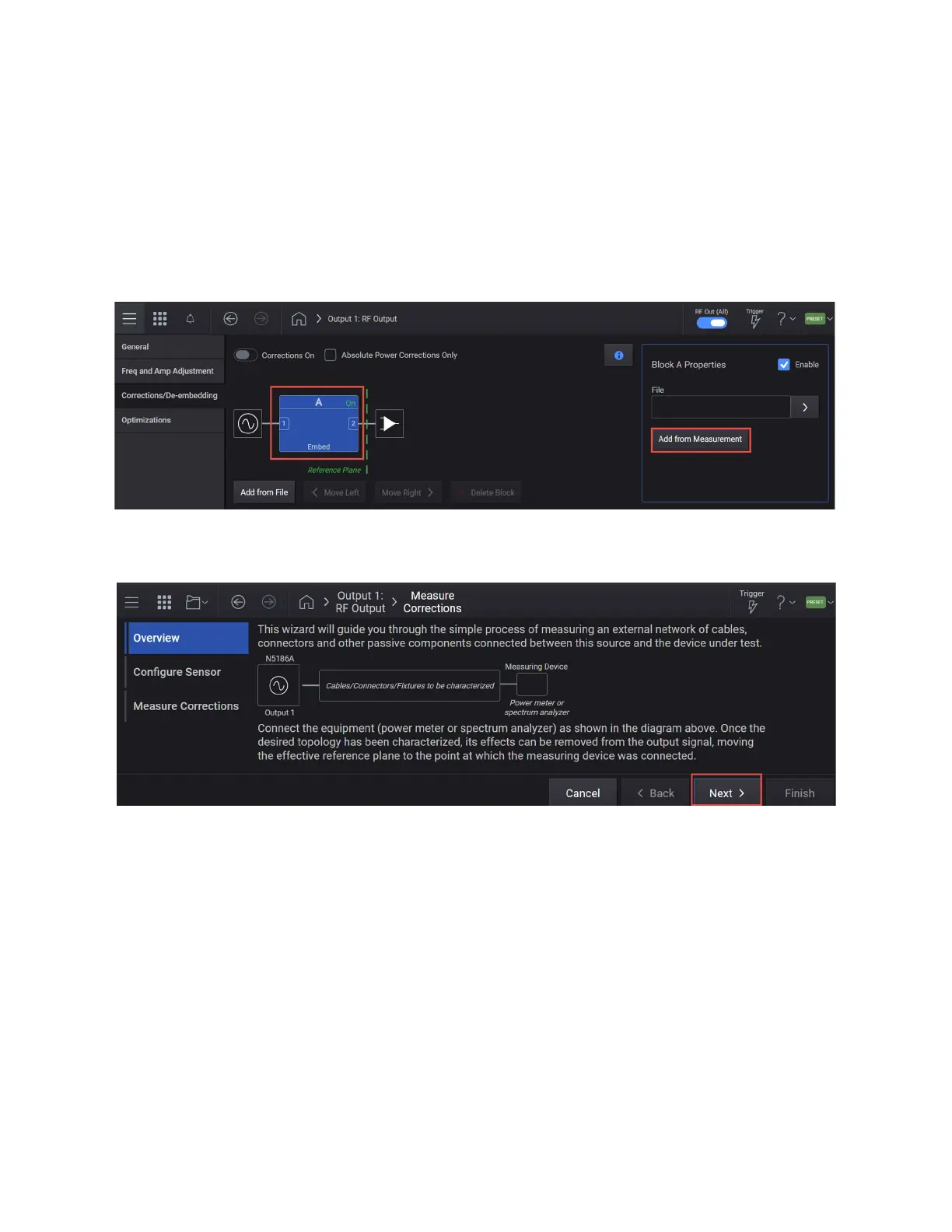
2. Select the RF Output block > Corrections/De-embedding tab to open the
Correction Setup.
3. Select the A block (to highlight), then Add from Measurement to open the
Measure Corrections Block Wizard.
4. Connect the power sensor as shown in the diagram below then select
Next.
5. Select Next to go to Configure Sensor dialog and select the Power
Measurement Device dropdown > Power Meter.



 To Next Page