54 N5186A MXG and X-Series SA Measurement Guide
Corrections
Corrections/De-embedding Using PathWave E7653APPC Software
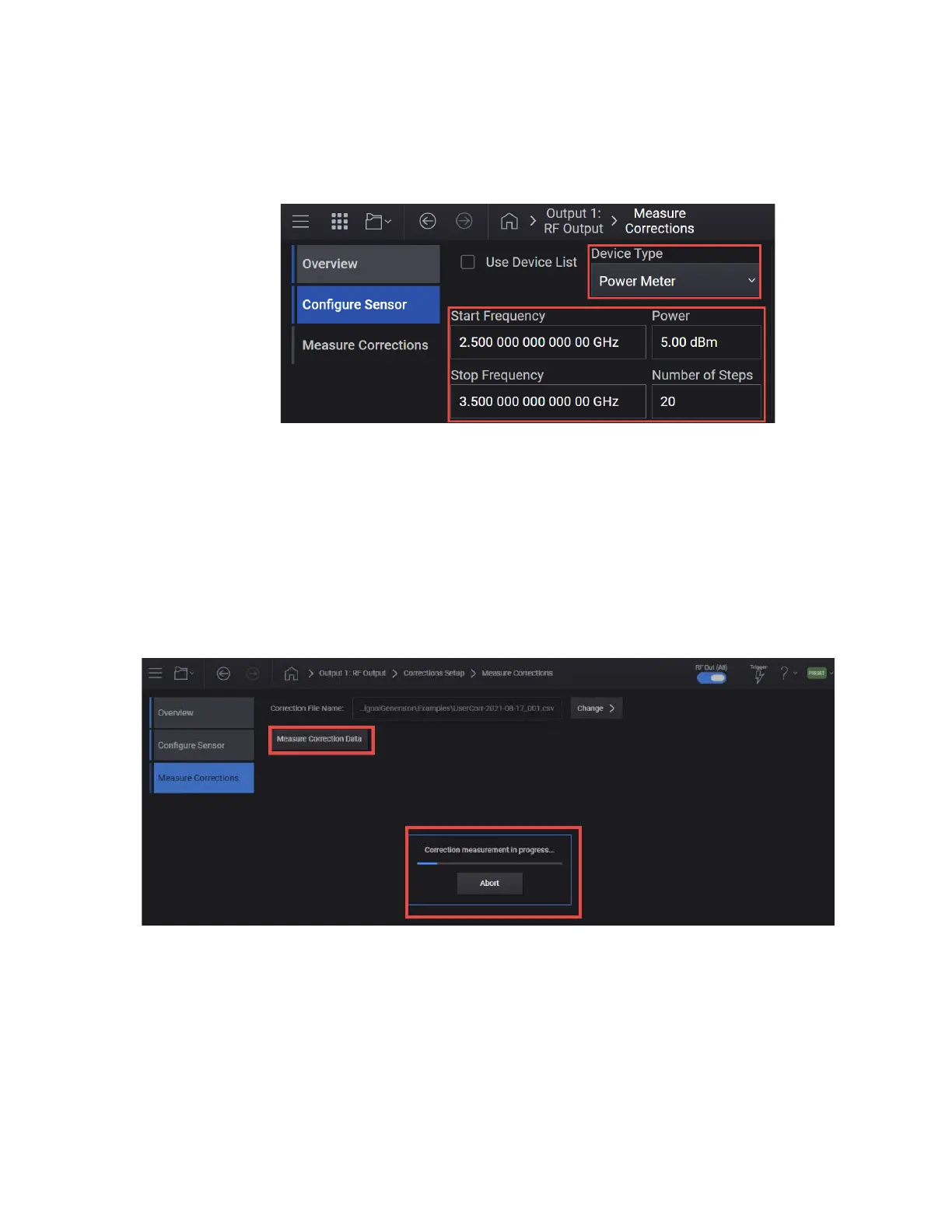
6. Set the Start and Stop Freq, Amplitude, and the Num Steps. For this
example Start Freq 2.5 GHz, Stop Freq 3.5 GHz, Amplitude to the highest
power used in your measurement 5 dBm, and Num Steps to 20.
7. Select the Connection Type to USB, and then specify the Device and VISA
Address.
8. Select Test Connection to verify connectivity, and then select OK then
Next to continue.
You can also calibrate and zero out the power sensor before measuring
corrections.
9. Select Next to go to the Measure Corrections dialog and select Measure
Correction Data.
During the measurement, the MXG outputs a CW between the Start and
Stop Frequencies for the specified number of steps and output power. The
measurement results are saved to a csv file using an automatically
generated file name.



 To Next Page