82 N5186A MXG and X-Series SA Measurement Guide
Custom Modulation Measurements
Using PathWave E7608APPC to Create a Waveform File then Automatically Configure
the Analyzer to View the Results
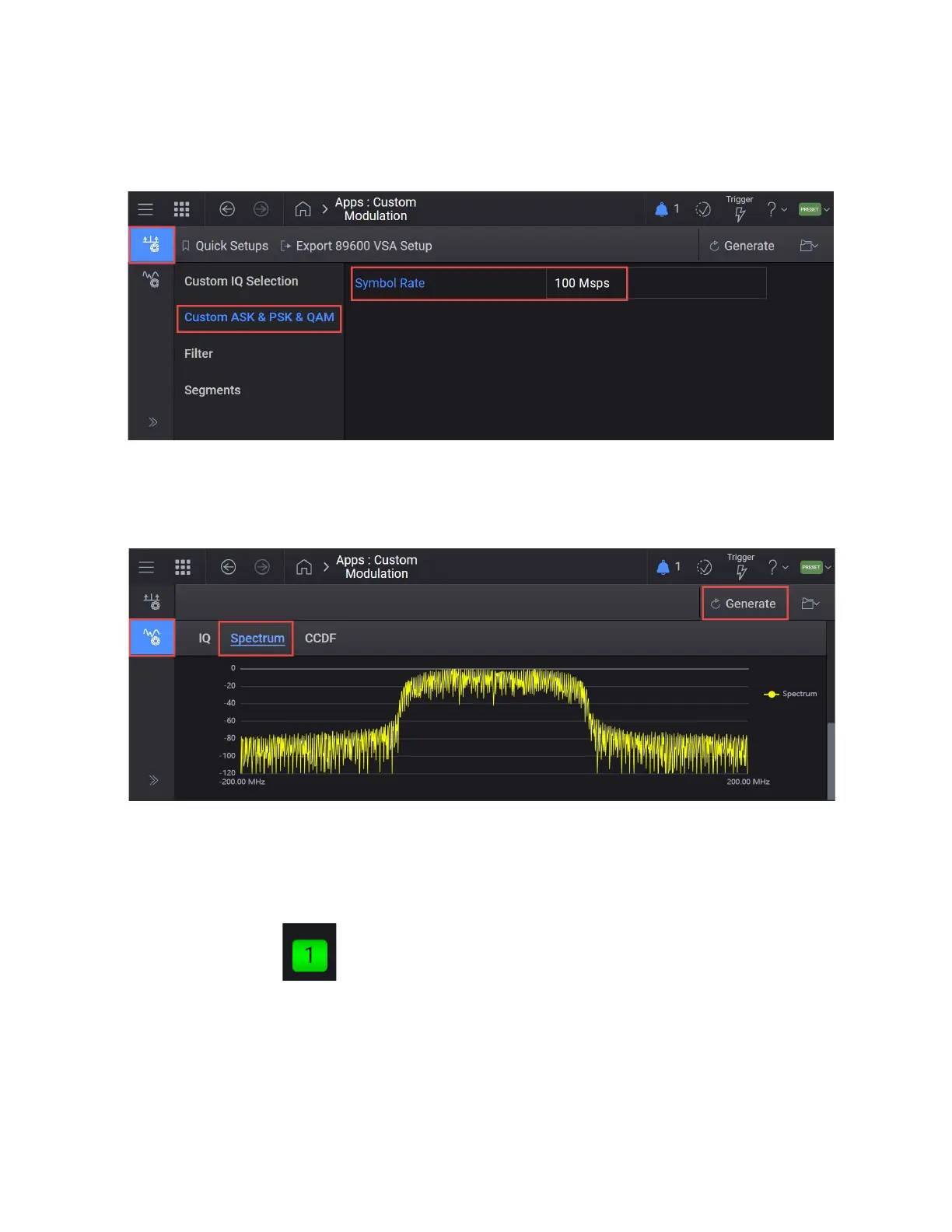
6. In the left pane, select Custom ASK & PSK & QAM and set Symbol Rate to
100 Msps.
7. Select the Waveform tab > Generate.
Scroll down to the bottom half of the display and select Spectrum to view
the Waveform.
8. Select the Home icon and set RF Out to On by selecting the numbered
channel indicator switch.
This enables the RF Out for the indicated channels, in this case Channel 1
if using a multi-channel MXG.



 To Next Page