52
Route Guidance
Show route guidance detailed infor-
mation.
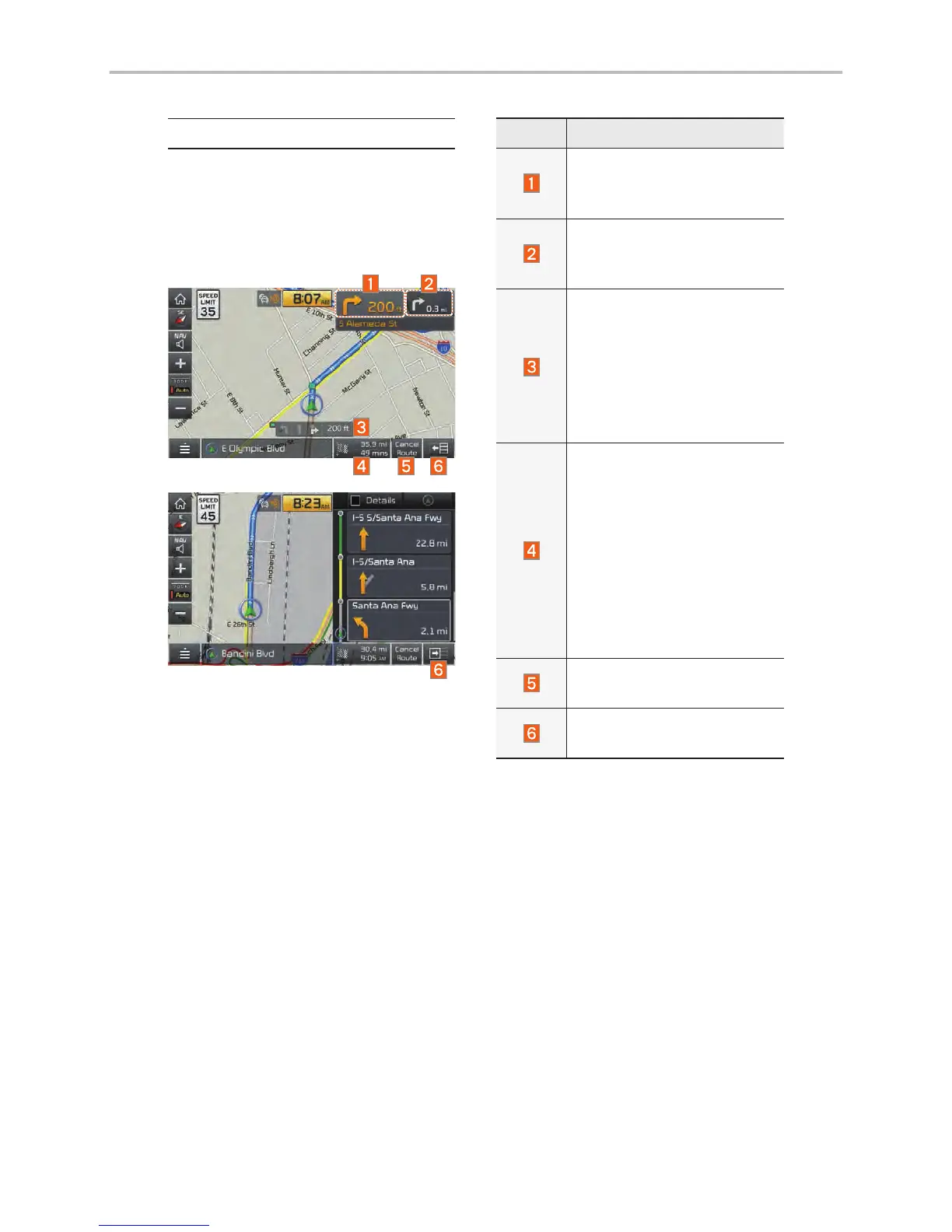
Route Guidance Screen
Name Description
Displays the distance and
direction to the first turn
point.
Displays the distance and
direction to the second
turn point.
Displays the lane informa-
tion at the current location.
Display the recommended
direction in white, travel-
able direction in white, and
the non-travelable direction
in grey.
Displays the distance to
the destination and the
estimated time of arrival.
Press the button to check
the detailed information. If
no waypoint is set, you will
see the remaining distance
or estimated time of arrival
in turn each time you click
the button.
Cancel the route.
Displays the Turn List.
Closes the Turn List.
Navigation



 To Next Page