KIC 2000 v2.4.0.x
KIC 2000 User Manual 51
Print Format #2
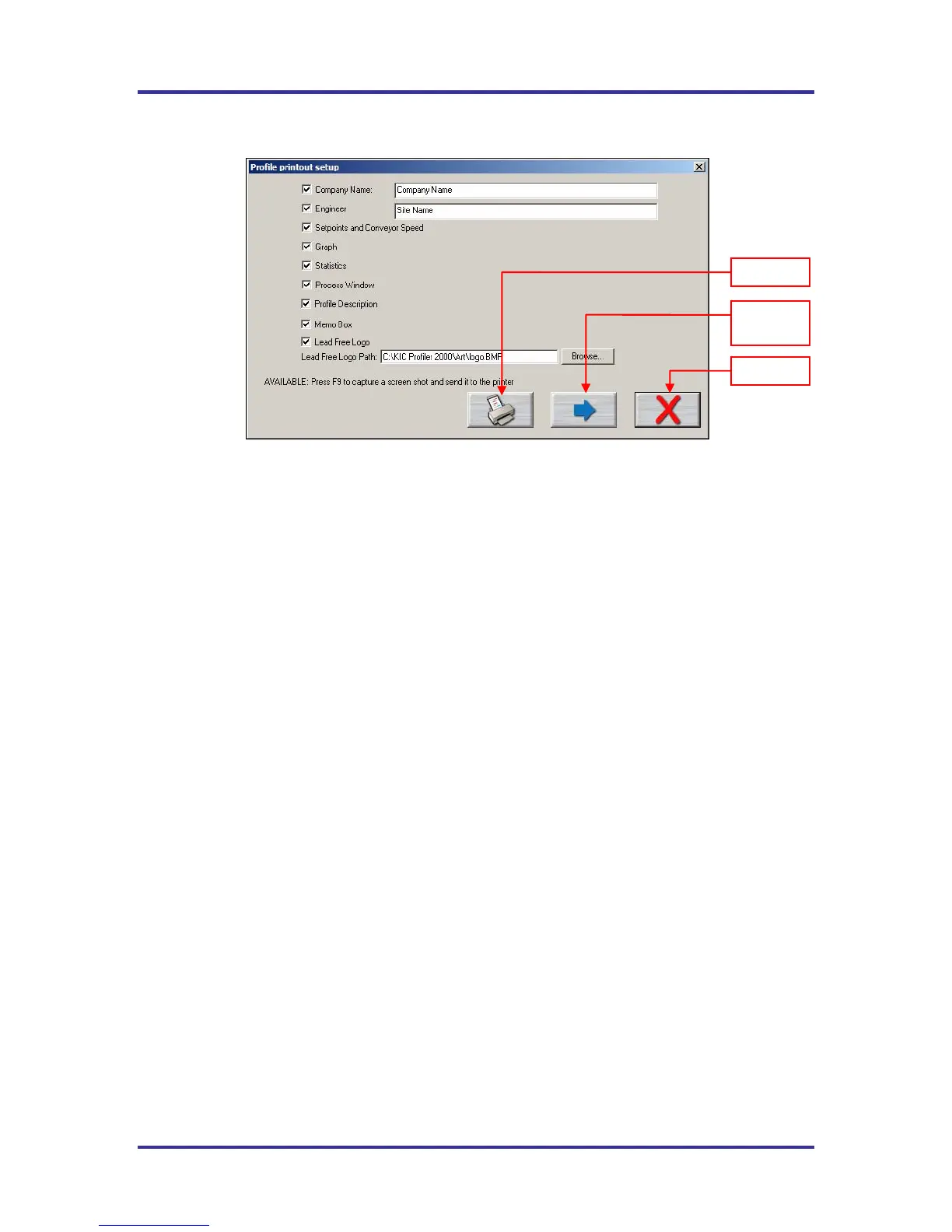
Figure 82: Print Options Screen – Print Format #2
Enter the “Company Name” and “Engineer’s name”. Check the items you wish to include on your profile
printout. See Figure 82.
Press the Print button to print the report.
Press the Print Preview Button to display a preview of the report. See Figure 83.
Below are the additional options available with Print Format #2:
Memo Box –Enables/Disables a Memo Box area for Draft, Review and Approval Signatures and Dates.
Lead Free Logo – Enables/Disables the Lead-Free Logo display area.
Lead Free Logo Path – When “Lead Free Logo” is enabled, specify the path to any BMP image file that
you want to appear in the Lead Free Logo display area on the report. The default image is the KIC
Lead-Free logo image
Print
Print
Preview
Cancel



 To Next Page