KIC 2000 v2.4.0.x
42 KIC 2000 User Manual
Manual Profile Prediction
The KIC 2000 software has automatic (Navigator), and Manual Prediction capabilities. The standard
KIC 2000 software installation includes Manual Prediction capabilities.
Manual Prediction gives the user the flexibility to easily predict changes to the oven settings (temperature
settings, conveyor speed), and view the results without having to spend the time actually running the
profile. This feature is very helpful to the user, minimizing the time spent fine tuning or developing a
thermal profile.
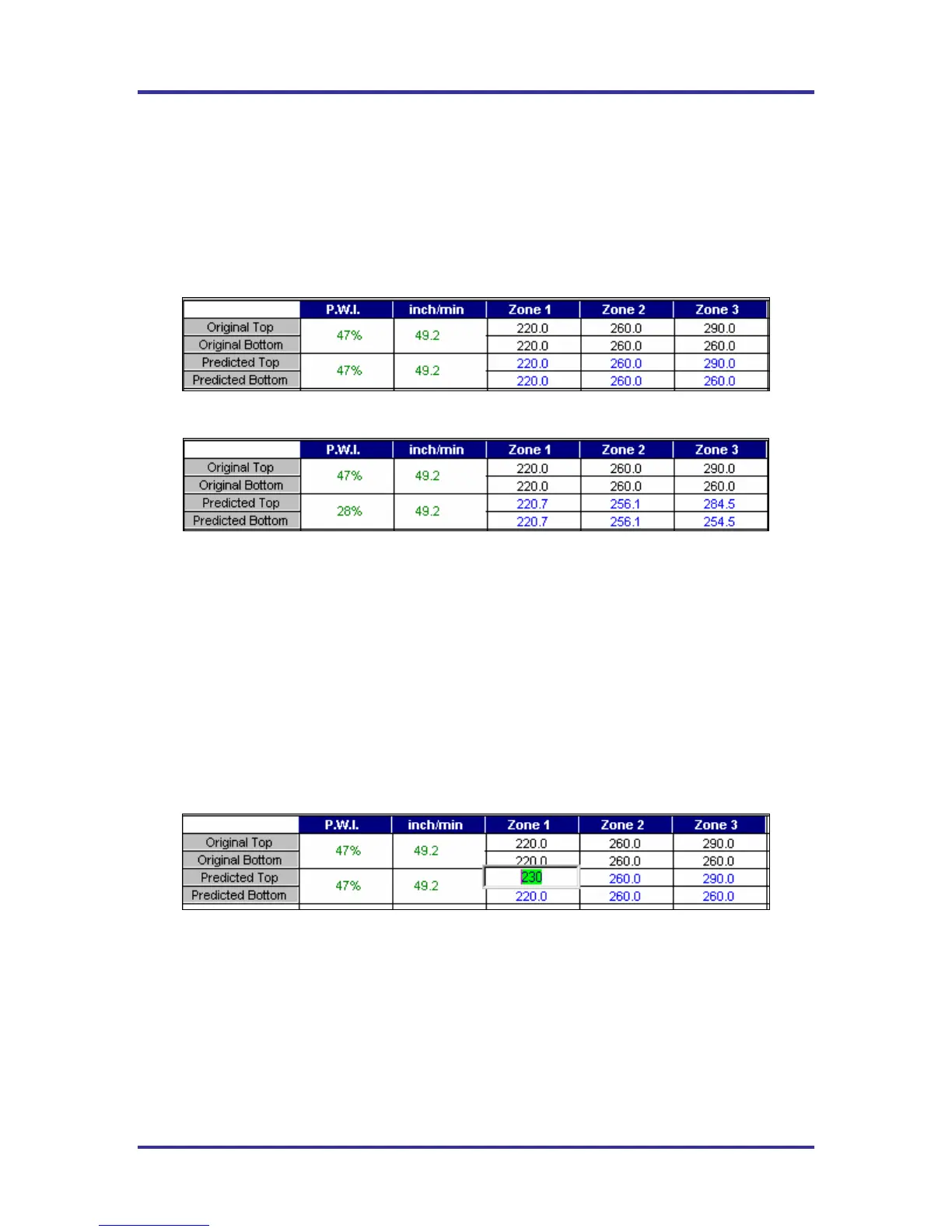
Original/Predicted set points – Manual Prediction
Figure 66
Original/Predicted set points – Navigator (Optional)
Figure 67
This is an example of how the KIC 2000 software (standard and with Navigator) lists the PWI, and oven
settings for the profile. This table is divided into the original section (top), and the Predicted section
(bottom). See Figure 66.
The original values represent the oven settings at the time the profile was run. The predicted values
represent the prediction results as determined by the Navigator software.
If you purchased the Navigator software option, the KIC 2000 software will automatically generate results
that are best suited for the selected Process Window. In the event you wish to modify the prediction results
of the Navigator, you can do so. See Figure 68.
To predict changes to the oven settings, or modify the Navigator prediction results, click on the zone you
wish to change. In the example below, zone 1 has been selected. See Figure # 68.
Figure 68
Type the new temperature setting, and then press Enter. The Navigator will predict the results of that
change, and then automatically update the PWI, predicted Statistics, and the profile graph. The new
predicted results will be displayed on the graph in a dotted-line format. This format enables the user to
easily determine the difference between the original and predicted profiles. See Figure 69.



 To Next Page