KIC 2000 v2.4.0.x
26 KIC 2000 User Manual
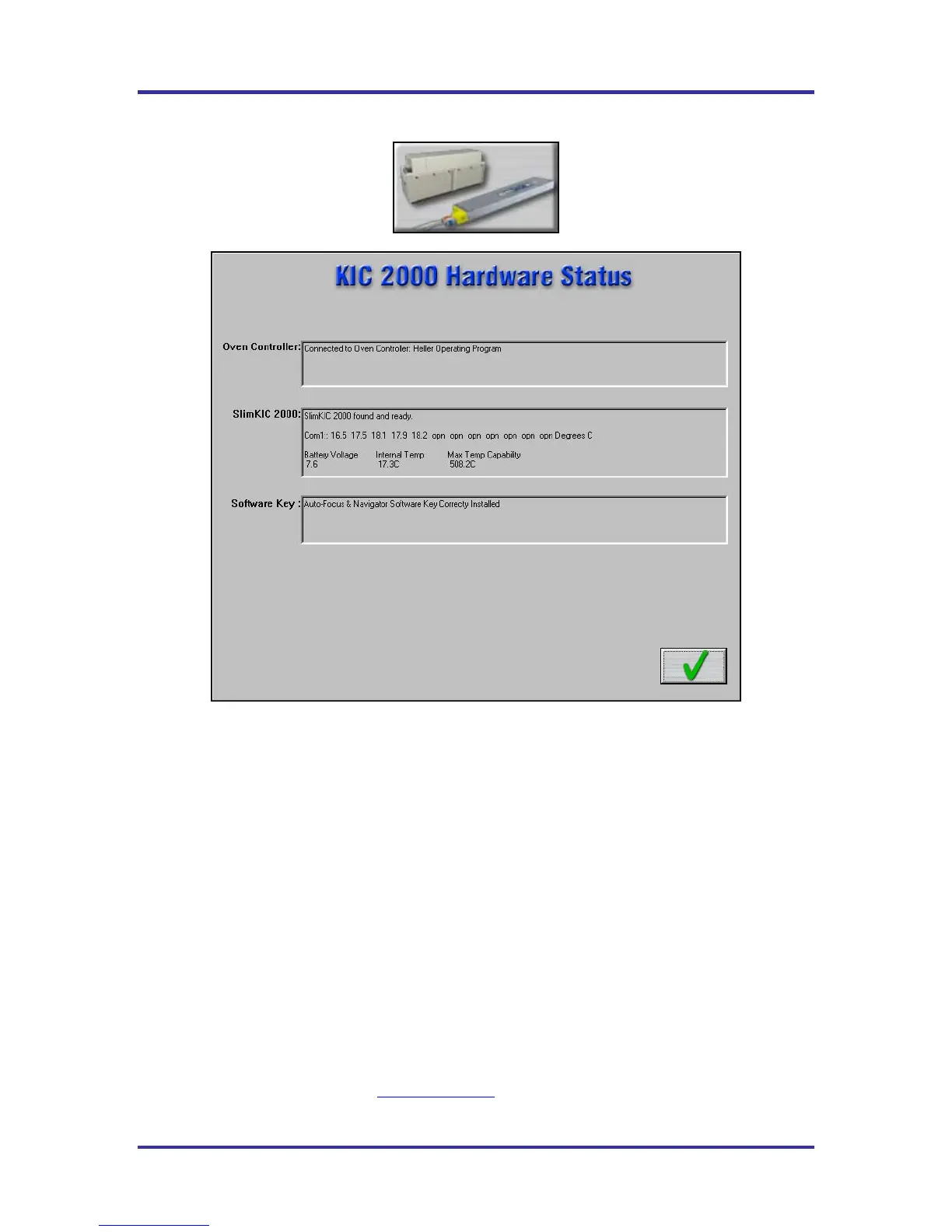
Hardware Status
Figure 35: Hardware Status
Oven controller – Shows the status of the connection between the KIC 2000 software and any connected
oven. Contact KIC for details about connecting your reflow oven.
SlimKIC 2000/KIC Explorer – Shows the status of the SlimKIC 2000 or KIC Explorer Profilers. This
box displays the following information:
• SlimKIC 2000/KIC Explorer communication status
• COM port – when connected.
• Temperature display – for all connected thermocouples.
• Battery Voltage.
• Internal Temperature – Temperature inside the SlimKIC 2000 case.
• Maximum Temperature Capability – This value determines the maximum temperature the
SlimKIC 2000 or KIC Explorer can read. This value can be changed if needed (SlimKIC 2000
only). See the SlimKIC 2000 calibration procedure for details page 95.
Software key – Shows the status of any software key that is connected. Displays the functions associated
with the software key.
Note: Only one software key can be connected at any given time. The KIC 2000 software will not detect
multiple software keys. If you have purchased new software options that require an additional software
key, contact KIC Technical Support, tech@kicmail.com
.



 To Next Page