KIC 2000 v2.4.0.x
50 KIC 2000 User Manual
Printing
The KIC 2000 software will print profiles only from within the profile display screens. There are two print
formats available. Print Format #1 is the default format used.
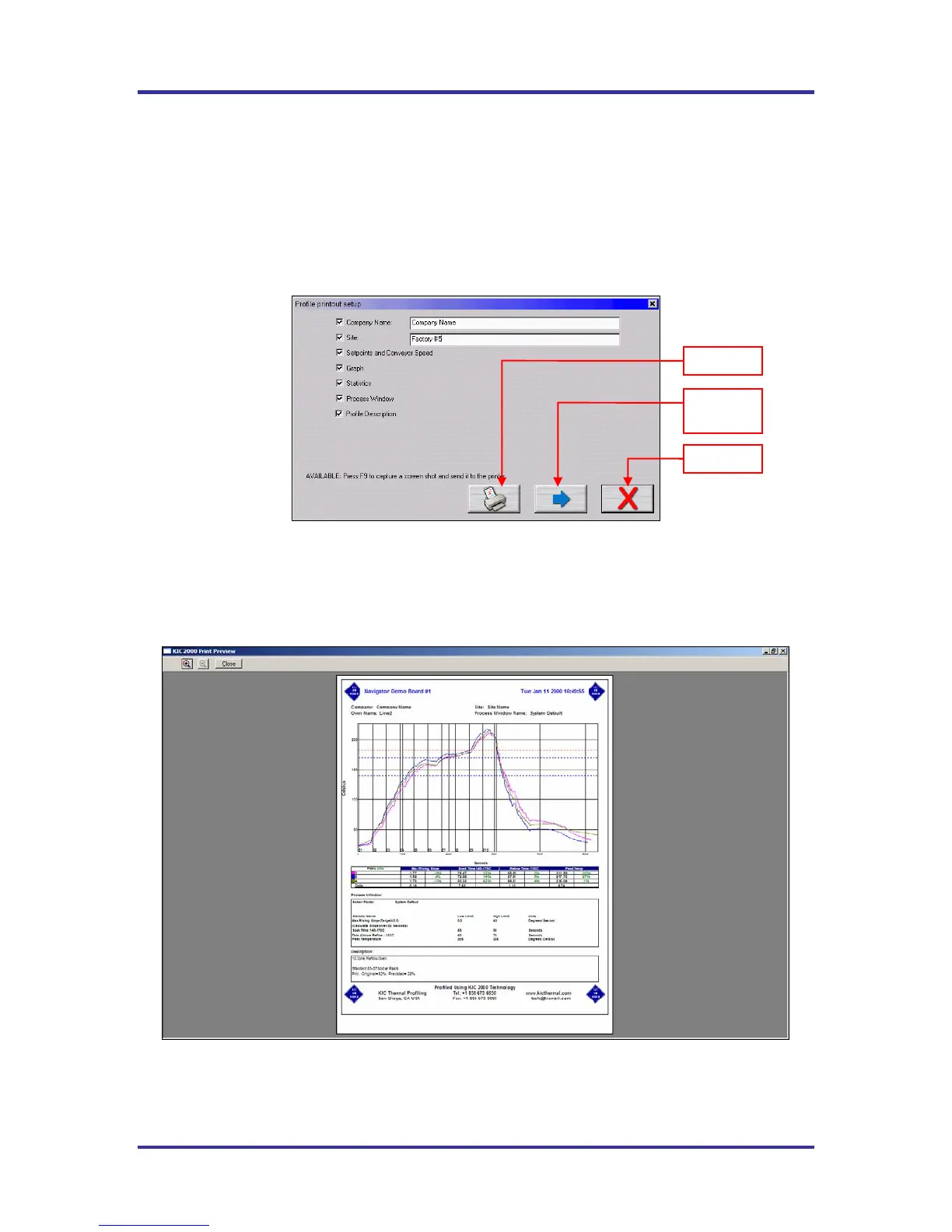
Select the print button at the bottom of the screen to print a profile. A print dialog box will appear.
See Figure 80.
Print Format #1
Figure 80: Print Options Screen – Print Format #1
Enter the “Company Name” and “Site ID.” Check the items you wish to include on your profile printout.
Press the Print button to print the report.
Press the Print Preview Button to display a preview of the report. See Figure 81.
Print Format # 1 Print Preview
Figure 81:
Sample Print Preview for Report Format #1. Report is printed in Portrait layout.
Includes the Company Name, Site ID, Date, Statistics, Profile Information, Set Points,
Profile Graph, Statistic Limits and Profile Description.
Print
Print
Preview
Cancel



 To Next Page