KIC 2000 v2.4.0.x
64 KIC 2000 User Manual
Temperature Triggers
The KIC 2000 software and profilers use temperature triggers to start and stop the profile automatically.
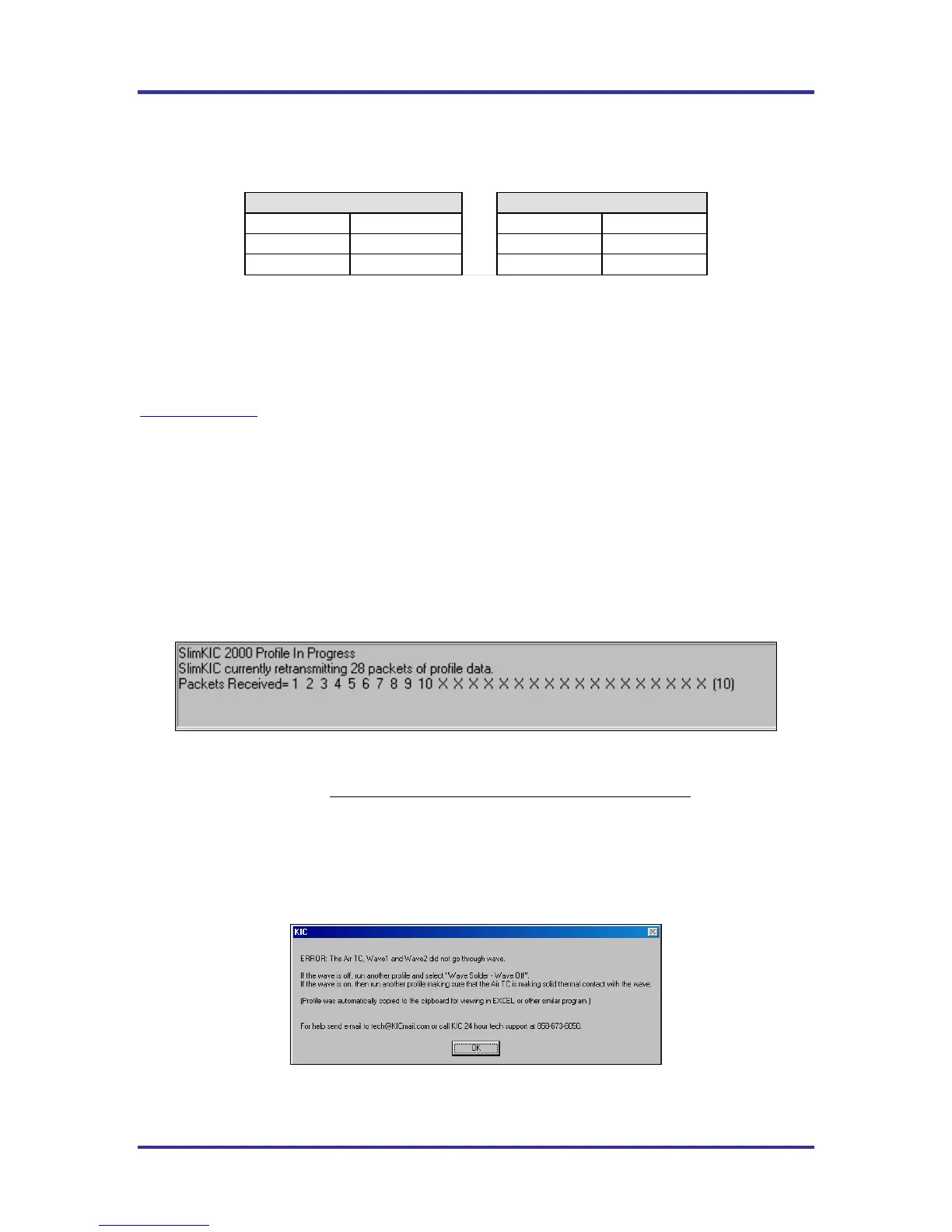
The default KIC 2000 temperature triggers are as follows: See Table 2.
Wave Solder-Wave On
Wave Solder-Wave Off
Profile start 33ºC/92ºF
Profile start 33ºC/92ºF
Mid trigger 110ºC/230ºF
Mid trigger 130C/266F
Profile end 90ºC/194ºF
Profile end 110C/230F
Table 2
The default trigger values should be fine for most processes. The Profile Start-trigger is determined by the
Maximum product temperature at start of profile setting in the Global Preferences screen. The start trigger
value is always 2ºC above this setting.
In the event that the mid-trigger, or end trigger values need to be changed, contact KIC Technical support,
tech@kicmail.com
.
Profile Retransmission
For users of the SlimKIC 2000 or KIC Explorer profilers with RF transmit capability.
While the KIC Profiler transmits the live profile data to the SlimKIC Receiver or KIC Explorer Base
Station; it simultaneously stores the profile data in its memory.
Once the KIC Profiler detects that all of the thermocouples have cooled below the profile-end trigger
temperature, it will begin retransmitting the profile data to the KIC 2000 software via RF. The KIC
Profiler will send the profile in data packets. The retransmission status is displayed at the bottom of the
screen. See Figure 101.
Figure 101: KIC Profiler RF model only
When all of the data packets have been received, the software will display a message asking you to turn the
KIC Profiler off, choose OK. Failing to turn your KIC Profiler off will drain the battery
.
Next, the KIC 2000 software will automatically analyze the profile data and presents the profile and profile
statistics. If you purchased the Navigator option, the predicted oven settings will be displayed as well.
If the Air TC or either Wave TC does not touch the wave(s), the KIC 2000 software will display an error
message: See Figure 102.
Figure 102



 To Previous Page