SRA Smart Reflow Analyzer Hardware Guide SRA-330200-000
23
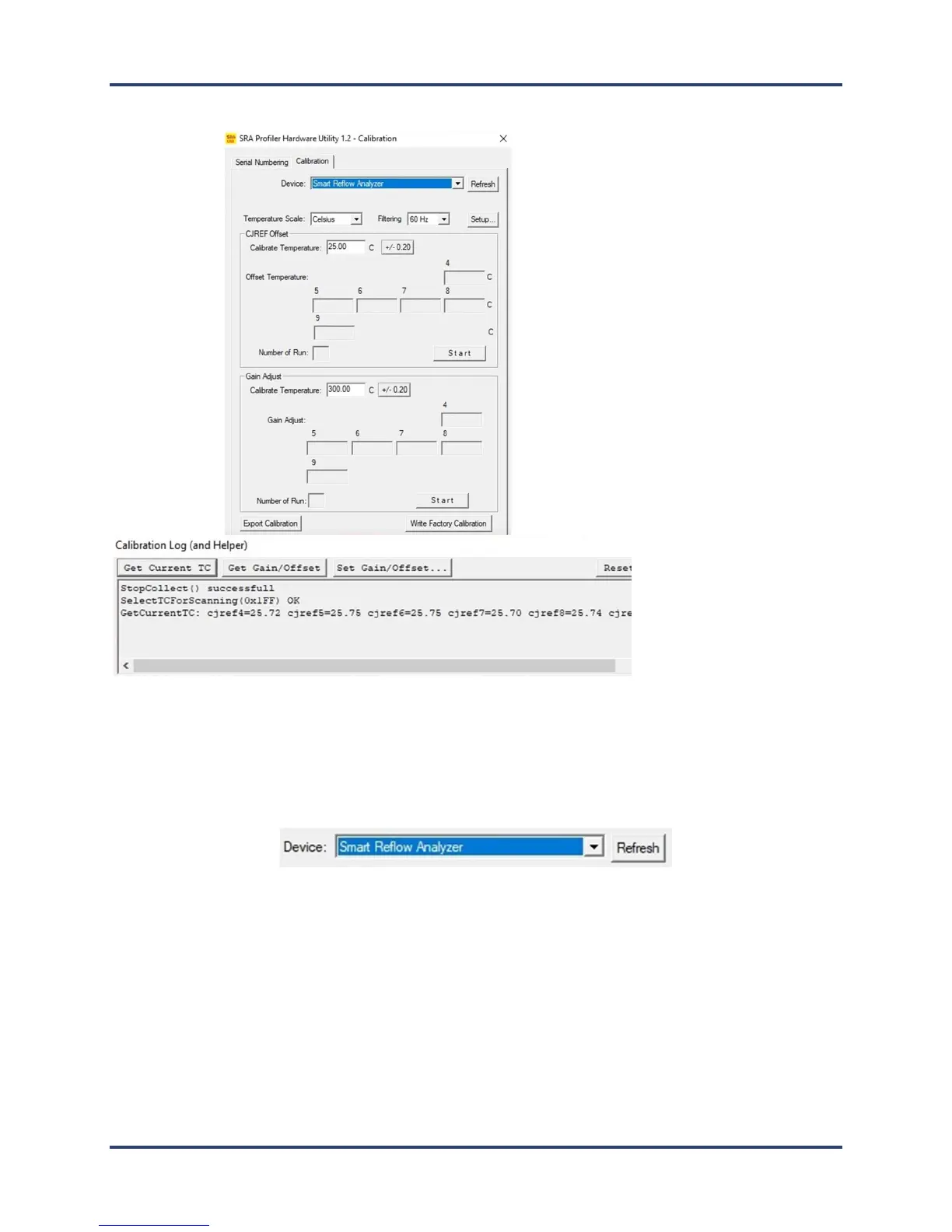
8. The SRA Hardware Utility - Calibration screen and the Calibration
Log screens appear:
9. Ensure that Smart Reflow Analyzer is displayed in the Device field, the appropriate temperature scale is
selected, and the proper filtering for your location is selected.
Note: When the software utility is open and the hardware connected, if the SRA name does not appear in
the Device field, clicking the Refresh button forces the utility to search for the presence of the hardware
and display the name in the field if found:
10. On the Calibration Log (and Helper) window, click the Set Idle button, and then click the Get Current TC
button to verify communication between the software and the profiler. (If communicating properly the
current live temperature readings from the device appear as shown in example above.)



 To Next Page