SRA Smart Reflow Analyzer Hardware Guide SRA-330200-000
25
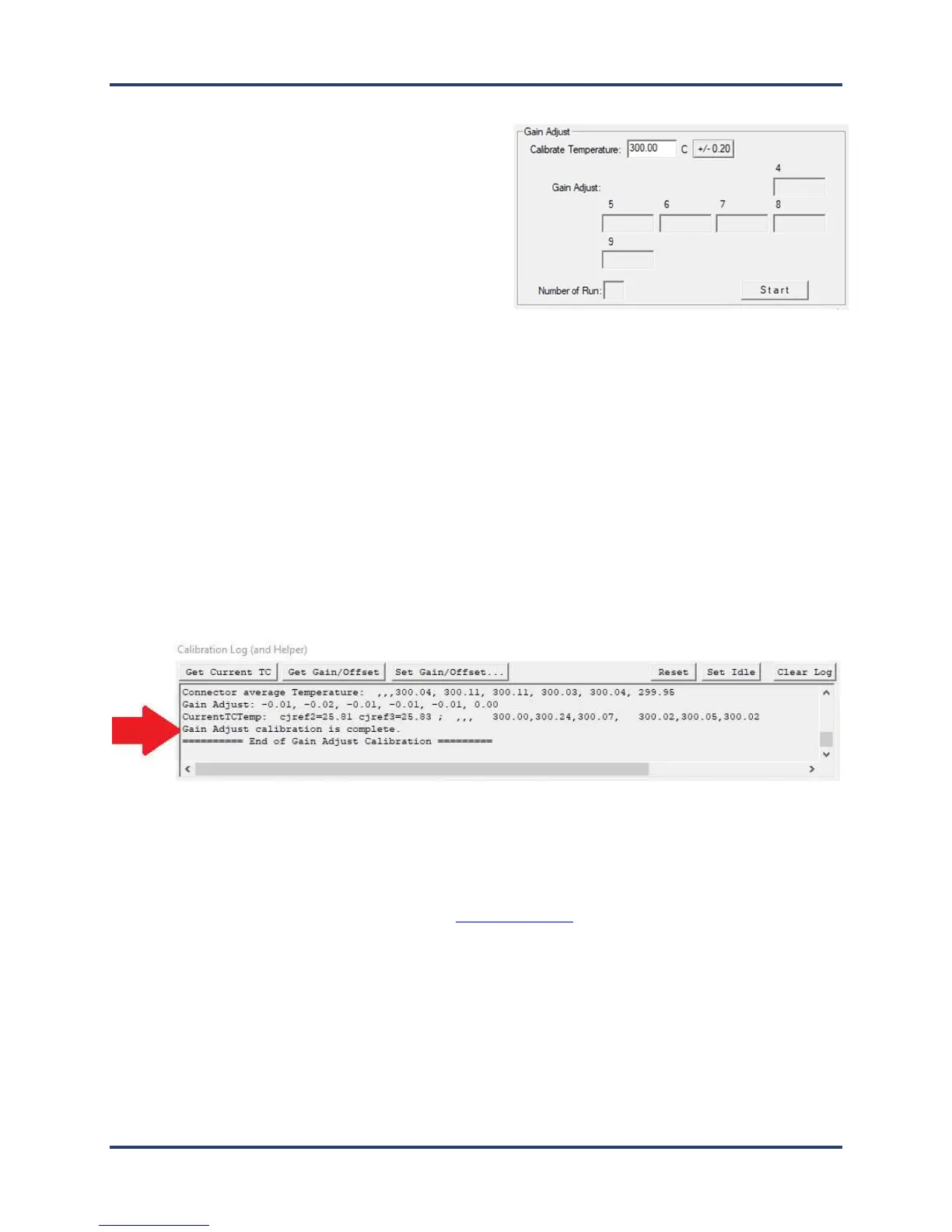
Specify the gain adjustment
1. Open the SRA Hardware Utility - Calibration
screen.
2. In the Gain Adjust panel’s Calibrate
Temperature field, accept the recommended
default temperature of 300°C (572°F) or type in a
new value between 10°C (50°F) and 500°C
(932°F).
Note: The recommended default temperature is selected for its suitability to typical lead-free soldering
applications. The range of values presented offers you the choice of calibrating to a maximum temperature
or to a specific temperature of interest. Calibrating to the maximum temperature will yield acceptably
accurate performance throughout the range. Alternatively, if your thermal process is well established
around specific temperatures, it may make sense to focus calibration on these target values.
Note: Older versions of KIC software may indicate other values as the default temperature.
3. Adjust the output on the thermocouple simulator to match your specified calibration temperature.
4. When the values match, click the-Start button to begin calibration.
The software automatically adjusts the Gain setting while electronic adjustments tune the profiler for
maximum accuracy at the specified temperature.
When the software completes the gain adjustment, a status messages appears in the Calibration Log area
at the bottom of the utility screen:
5. Close and exit the software to end the procedure.
Note: In the Gain Adjust panel, the Number of Run field displays a running count of the number of times
you needed to run the final gain adjustment part of the calibration procedure. The count can go to a
maximum of eight. While it is typical to restart the gain adjustment two or three times before achieving
final calibration, a run count number that exceeds five or six can indicate that the device has a problem that
should be analyzed by KIC technical support. tech@kicmail.com



 To Next Page