SRA Smart Reflow Analyzer Hardware Guide SRA-330200-000
24
Specify the CJREF offset
1. Open the SRA Hardware Utility - Calibration
screen.
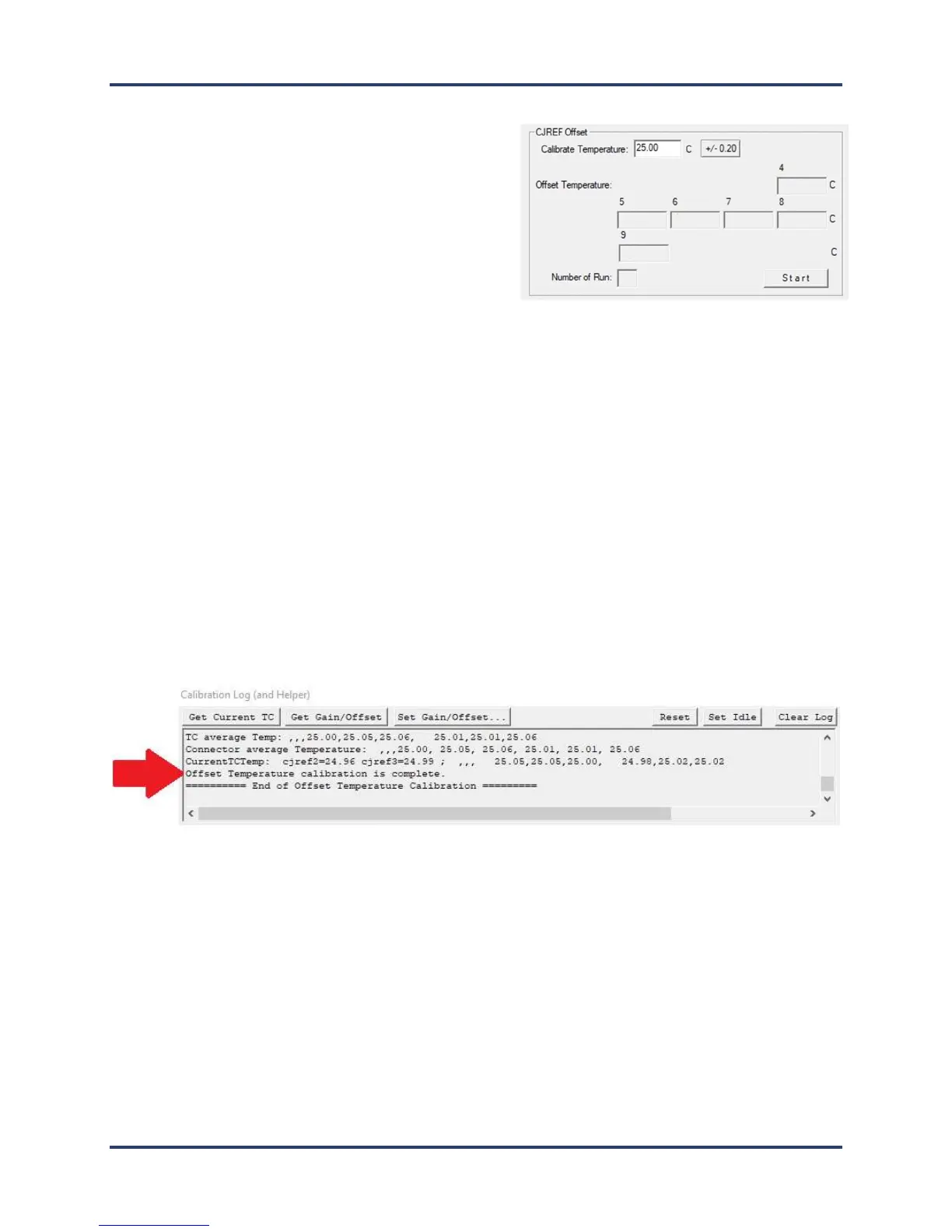
2. In the CJREF Offset panel’s Calibrate
Temperature field, accept the recommended
default temperature of 25°C (77°F) or type in a new
value between 10°C (50°F) and 500°C (932°F).
Note: The Calibrate Temperature value should be selected to represent an anticipated ambient temperature.
Calibrating to this temperature will likely yield acceptably accurate performance. The selected default (25°C)
approximates typical room temperature and is recommended for most lead-free soldering applications. However,
the number of ovens present or other site-environment factors might influence your selection of this value. You can
type in whatever value better matches your specific situation. If your thermal process is well established around
specific temperatures, it may make sense to focus calibration on these target values.
Note: Older versions of software may indicate other values as the default temperature.
3. Adjust the output on the thermocouple simulator to match your specified calibration temperature.
4. When the values match, click the-Start button to begin calibration.
The software automatically adjusts the calibration temperature for each of the device ports, typically
resulting in different values among the four ports. Electronic adjustments also tune the profiler for
maximum accuracy at the specified temperature.
When the software completes the offset calibration, a status messages appears in the Calibration Log area
at the bottom of the utility screen:



 To Next Page