5. Configuring channels and units of measurement
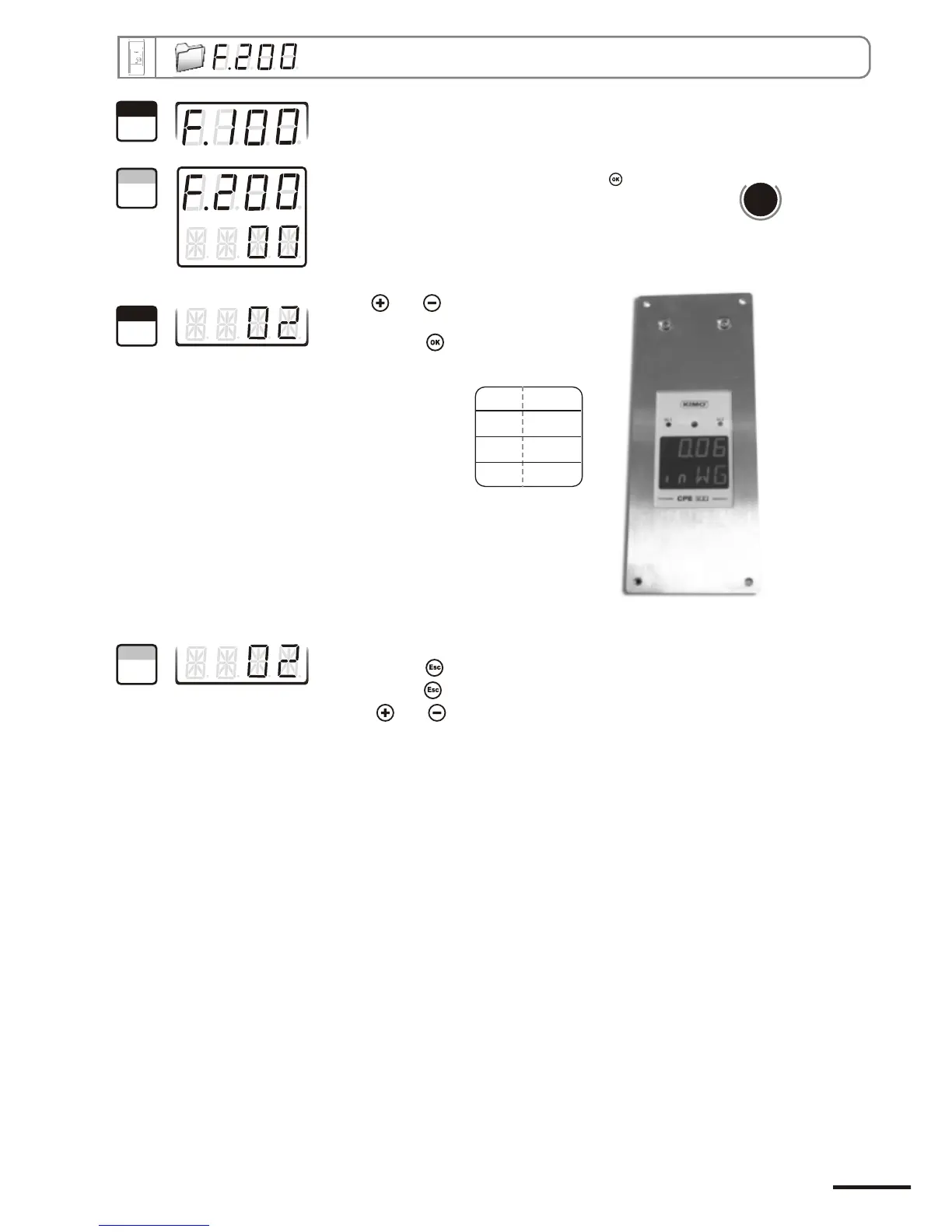
Go into configuration mode (see page 5). The folder number displayed
corresponds to the last configuration folder used.
Select the folder “200” and validate with .
The cursor > goes to choices line.
With and keys, select the unit of
measurement (see chart below).
Validate with .
The cursor > returns to sub-folders line.
• press twice to return to reading mode.
• press once to return to another folder selection.
• with and keys to choose another sub-folder from the folder 200.
d
b
u
o
s
M
400
00 Pa
01 mmH O
2
02 inWg
03 mbar
Page 7
1
Step
2
Step
3
Step
4
Step
CPE 300 transmitter configuration via remote control / Modbus


 To Next Page