9. Other functions
9.a- Activation / deactivation of the RS232 and home bus
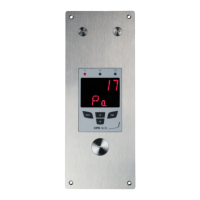
CPE 300 transmitters have one RS232 and one RS 485 digital output (Modbus protocol) - optional.
With the RS 232, you can display 1 or 2 parameters which are measured by other Class 200 and 300 transmitters, or
you can send measurements to be displayed on another Class 300 transmitters.
Go into configuration mode (see page 5). The
folder number displayed corresponds to the last
configuration folder used.
Select the folder “100” and validate with .
Select the sub-folder “101” and validate with .
With and keys, select 00 to receive data from another transmitter (Home
BusRS485 Modbus active) or select 01 to send data via RS 232 (Home Bus
RS485 Modbus inactive) . Validate with
The cursor > returns to sub-folders line.
• press twice to return to reading mode.
• press once to return to another folder selection.
• with and keys, you can choose another sub-folder from the folder 100.
9.b- Serial number display
Go into configuration mode (see page 5). The folder number displayed
corresponds to the last configuration folder used.
Select the folder “100” and validate with .
Select the sub-folder “102”
Le numéro de série de l'appareil est affiché à l'écran (en 2 parties alternées).
Le curseur retourne sur la ligne des sous-dossiers.
• appuyer 2 fois sur pour revenir en mode lecture des valeurs.
• appuyer 1 fois sur pour revenir à la sélection d’un autre dossier.
• utiliser et pour choisir un autre sous-dossier du dossier 100
!
If you set up your transmitter to send measurements to another transmitter via RS 232, then you
will not be able to use the RS 485 digital output anymore (Modbus -
d
b
u
o
s
M
202
d
b
u
o
s
M
204
1
Step
2
Step
3
Step
4
Step
1
Step
2
Step
3
Step
Page 21
CPE 300 transmitter configuration via remote control / Modbus


 To Next Page