99
GB
Use of the hand controlUse of the hand control
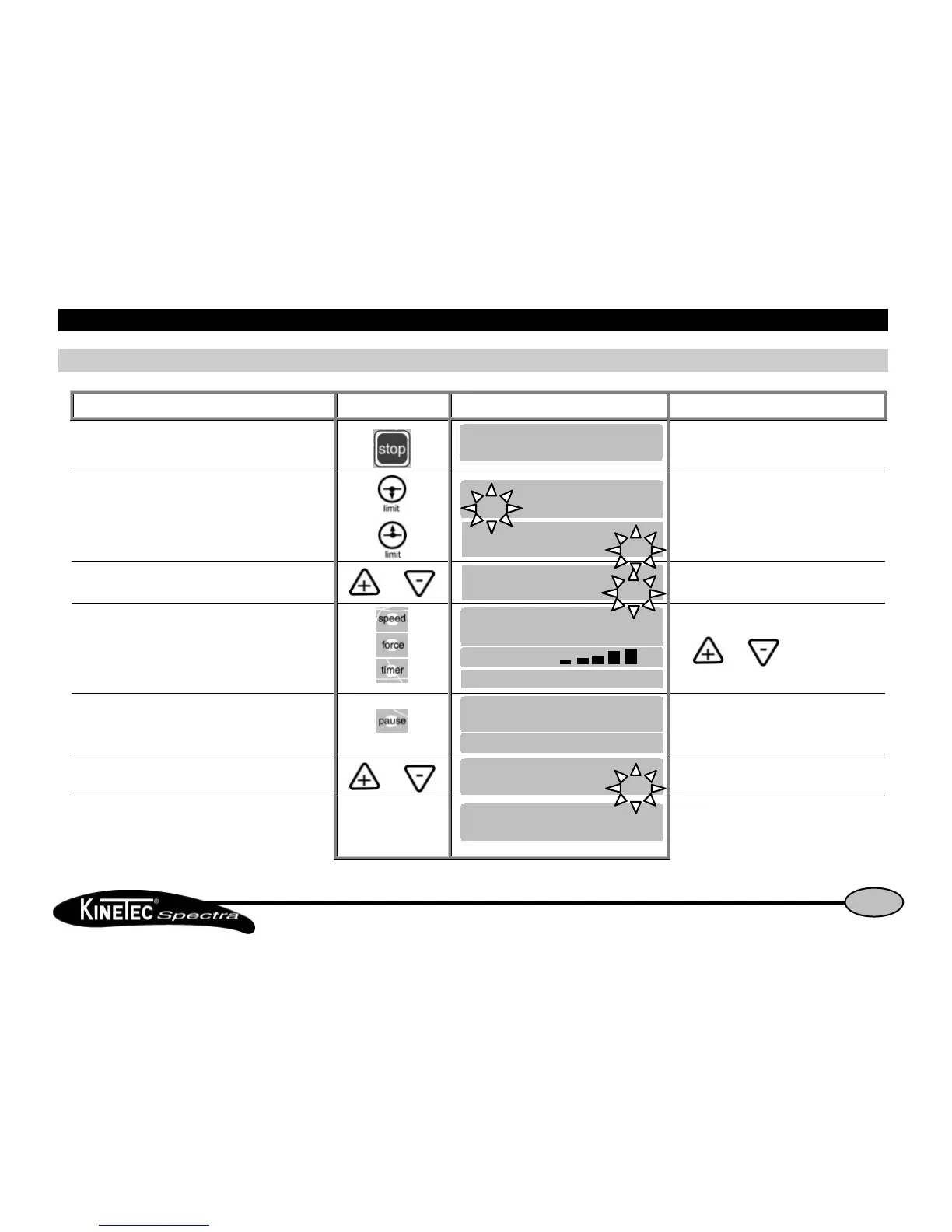
How to adjust the basic parameters of the movementHow to adjust the basic parameters of the movement
Beginning Keys to press Display Remarks
To stop the unit
Check if the hand control is not blocked
(See page 7).
To display the extension or flexion limit of the movement
or The value blinks.
To change the limit if necessary Or The new value blinks.
To validate the new value, press another key
or wait more than 3 seconds.
While the value blinks press
the or key
to change if necessary.
Or
Or to display pause in extension or flexion limit
Successive presses on this key selects the
pause at the extension or flexion limit.
To change the pause if necessary Or The new pause value blinks.
To validate the new value press another key
or wait more than 3 seconds. The display shows the
selected mode.
The unit is ready to start with the new
parameters.


 To Next Page