1515
GB
Use of the hand control Use of the hand control
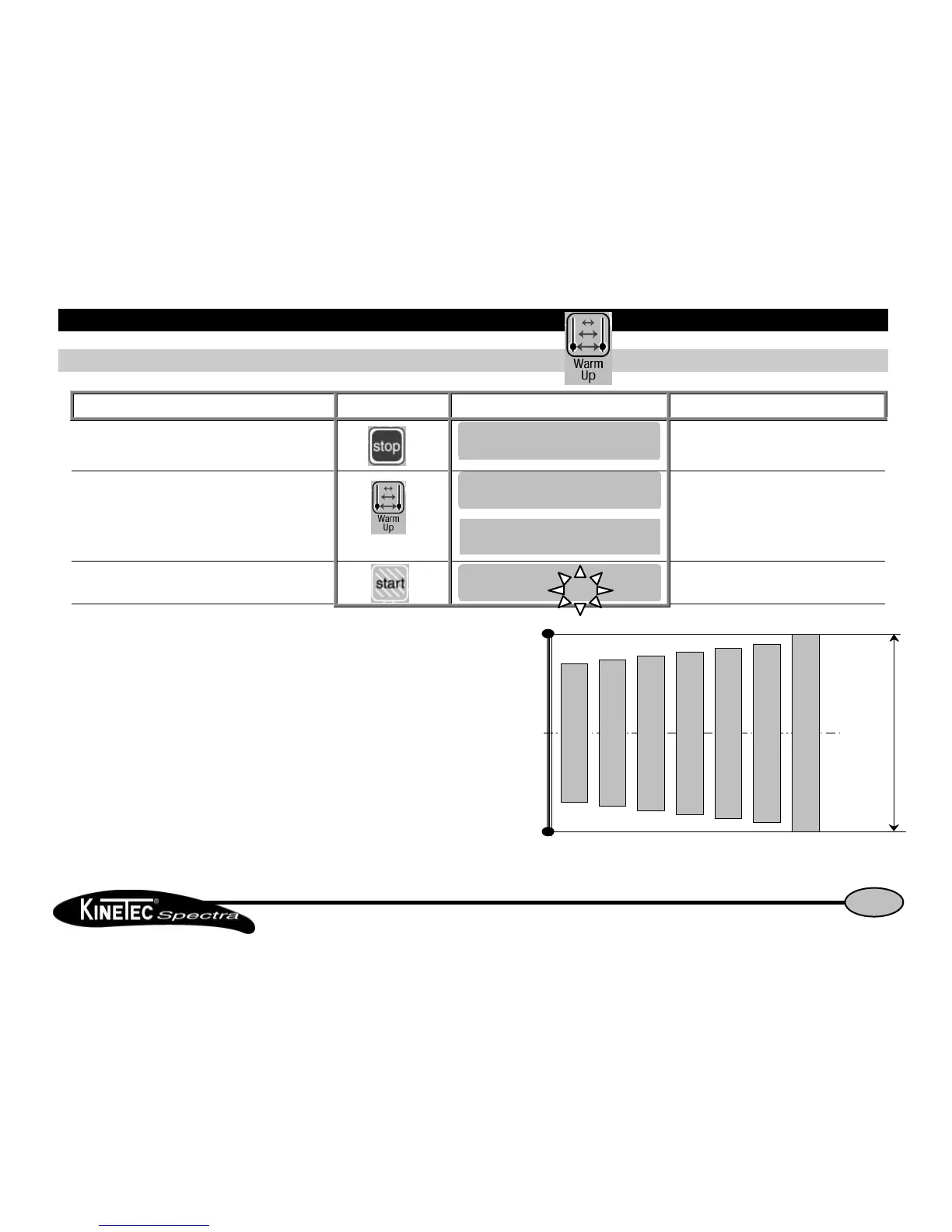
How to use the WARM UP keyHow to use the WARM UP key
Beginning Keys to press Display Remarks
To stop the unit
Check if the hand control is not blocked
(See page 7).
To select the Warm Up mode
The display shows the default settings
(see page 8).
To change the movement value if necessary
see page 9.
Start the movement
The value change at the speed of the
movement.
Warm Up rules:
The Kinetec Spectra starts at 70% of the full ROM, increasing 5% of the range
every other cycle until the pre-set ROM is reached.
CommentsComments:
The calculation mode used enables reaching the pre-set ROM in approximately
seven full cycles.
ExampleExample:
For a Warm Up treatment with a pre-set ROM from 0° to 100°.
The first cycle starts from 15° to 85° to 15° and increase 5% each cycle.


 To Next Page