1414
GB
Use of the hand controlUse of the hand control
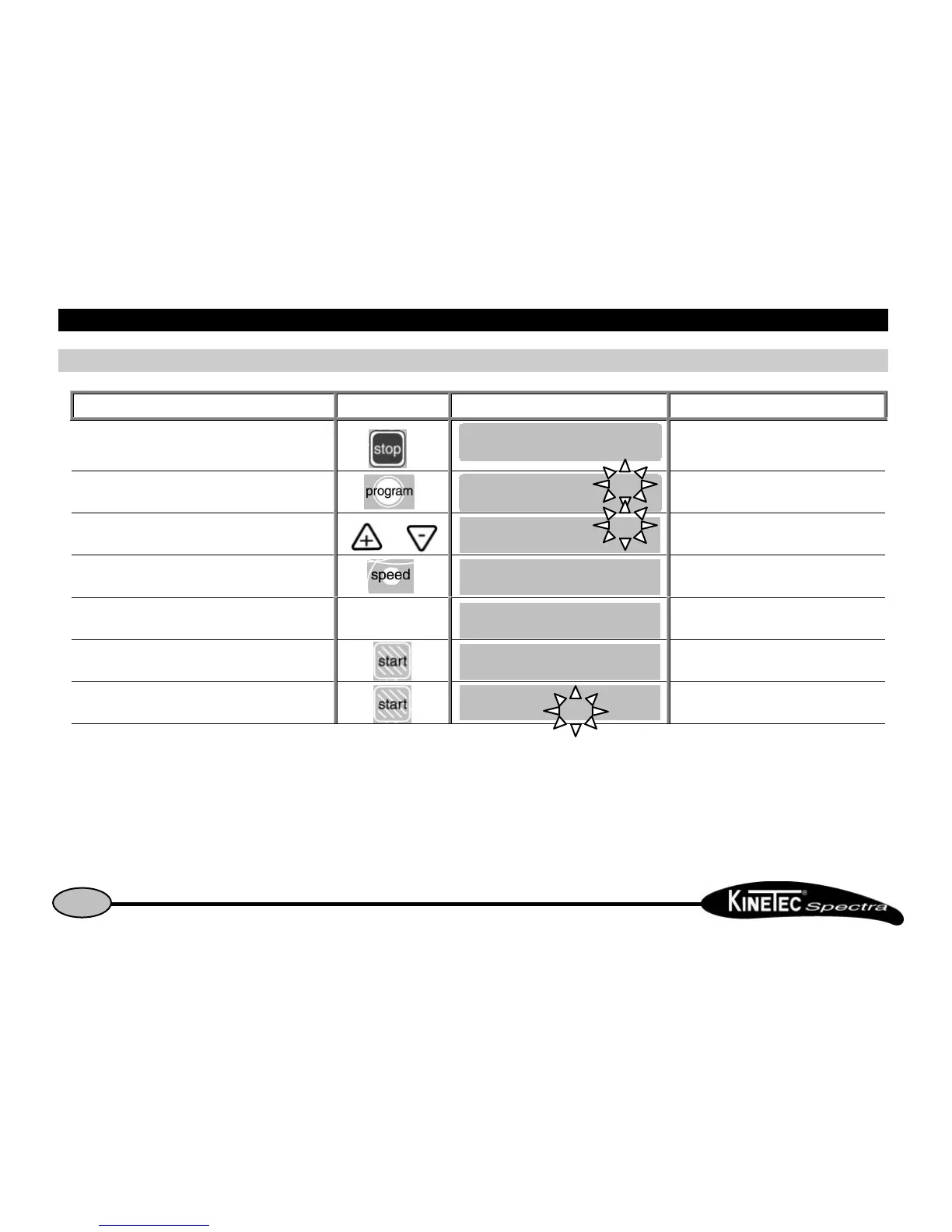
Reading the values of a program: example SPEEDReading the values of a program: example SPEED
Beginning Keys to press Display Remarks
To stop the unit
Check if the hand control is not blocked
(See page 7).
To access the program mode The program number blinks.
To change the program if necessary or To change the program if necessary.
To read the speed value Displays the speed value.
After 15 seconds or after pressing on another key
To exit and validate the selected program
The current parameters have been recorded in
program 3.
Start the unit
The value change at the speed of the
movement.
Comments:Comments:
• The values shown in the ‘Display’ column are examples. They actually depend on the stored programs.
• The current movement parameters can be changed while using that program but no data will be stored in the original program.
See the programming mode (p 10) to modify programs.


 To Next Page