1111
GB
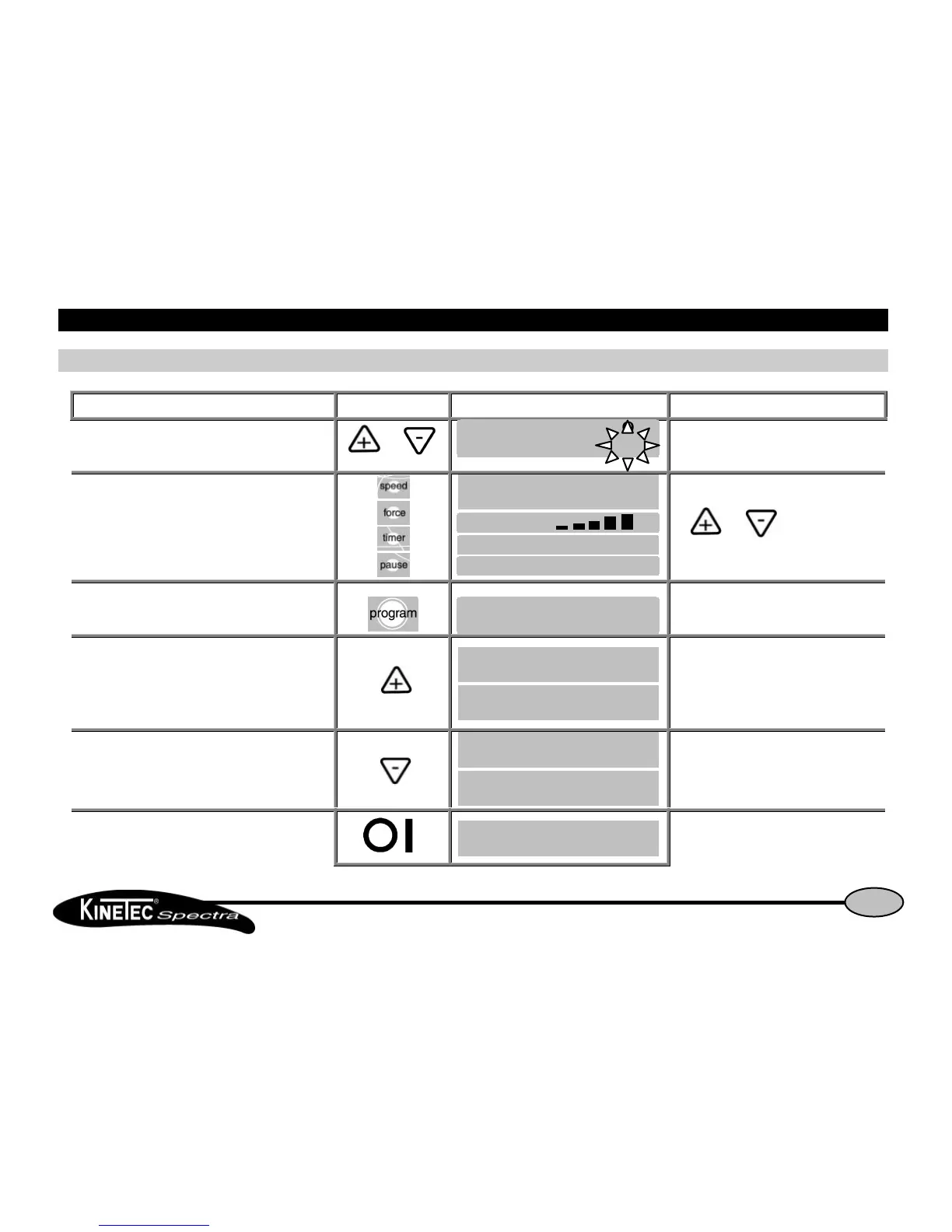
Use of the hand controlUse of the hand control
How to modify programs PROGRAM MODE (continued)How to modify programs PROGRAM MODE (continued)
Beginning Keys to press Display Remarks
To change the limit of movement if necessary or The new value blinks.
To validate the new value, press another key
or wait more than 3 seconds While the value blinks press
the or key
to change if necessary.
To record the program 10
Then
The program 10 has been recorded and the
display indicates the next program so you can
change another program.
OR
To cancel the program
The program 10 has been cancelled and the
display indicates the next program so you can
change another program.
To exit program mode, switch OFF and switch ON the unit. To use the modified program see page 10.


 To Next Page