Chapter 3 Error Correction 3-4
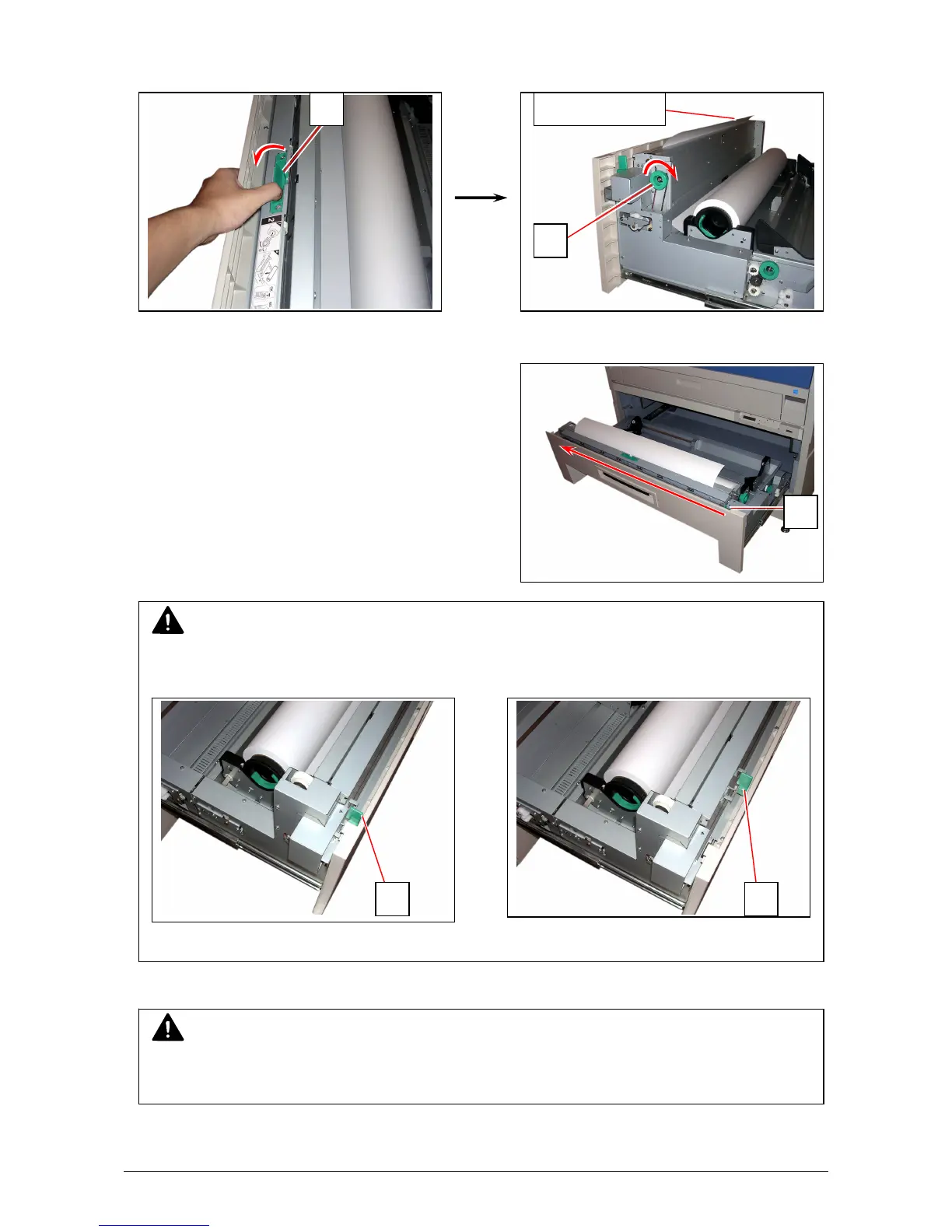
3. When the feeding rollers catch the paper, turn the middle of the Guide Plate 6 (4) outside.
Rotate the Paper Feeding Knob (2) again until the leading edge comes out in 100 millimeters.
4. Slide the green Cutter Knob (5) one side to another completely to make a new straight edge.
Remove the cut portion.
5. Close Roll Deck.
NOTE
Completely slide Cutter Knob (5) until it stops at either end.
Not doing so may cause a paper jam.
Correct: Cutter Knob at end Wrong: Cutter Knob at middle
Leading edge
2
NOTE
Be sure to close the Roll Deck fully until it locks at the correct position.
A paper jam may occur if it is not locked firmly.
5
4
5 5



 To Next Page