Chapter 3 Error Correction 3-11
3. 1. 2. 5 Cutter Set NG
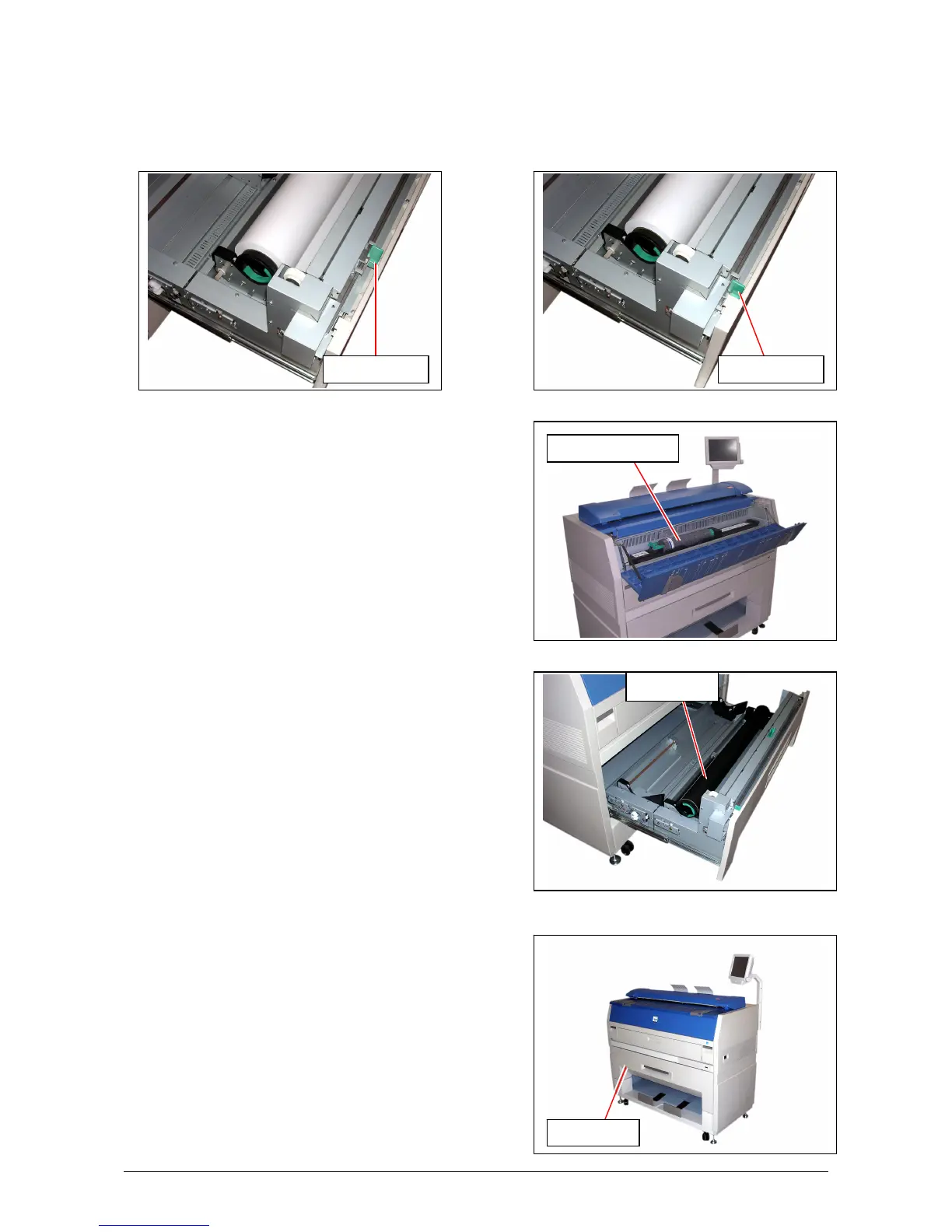
This message is indicated when the Cutter Knob is not located at the correct position.
Open the Roll Deck, and slide the Cutter Knob fully to the left or right to align the Cutter Knob with
the end of the railing.
Incorrect (Not placed at the end) Correct (Placed at the left or right end)
3. 1. 2. 6 Toner Empty
This message is indicated when the Toner Cartridge is
emptied with the toner.
Replace the Toner Cartridge with the new one making
reference to [2. 4 Toner Cartridge Installation] on
the page 2-10.
3. 1. 2. 7 Paper Empty
This message is indicated when the roll paper in use is
emptied.
Replace roll paper with the new one making reference to
[2. 3 Roll Media Replacement] on the page 2-5.
3. 1. 2. 8 The door opened during the print
This message is indicated when the Roll Deck is opened
during printing by accident.
Close the Roll Deck.
If the paper is mis-fed inside the machine, remove it.
Cutter Knob Cutter Knob
Toner Cartridge
Roll Core
Roll Deck



 To Next Page