Chapter 4 Maintenance 4-4
4. 1. 2 Print Engine
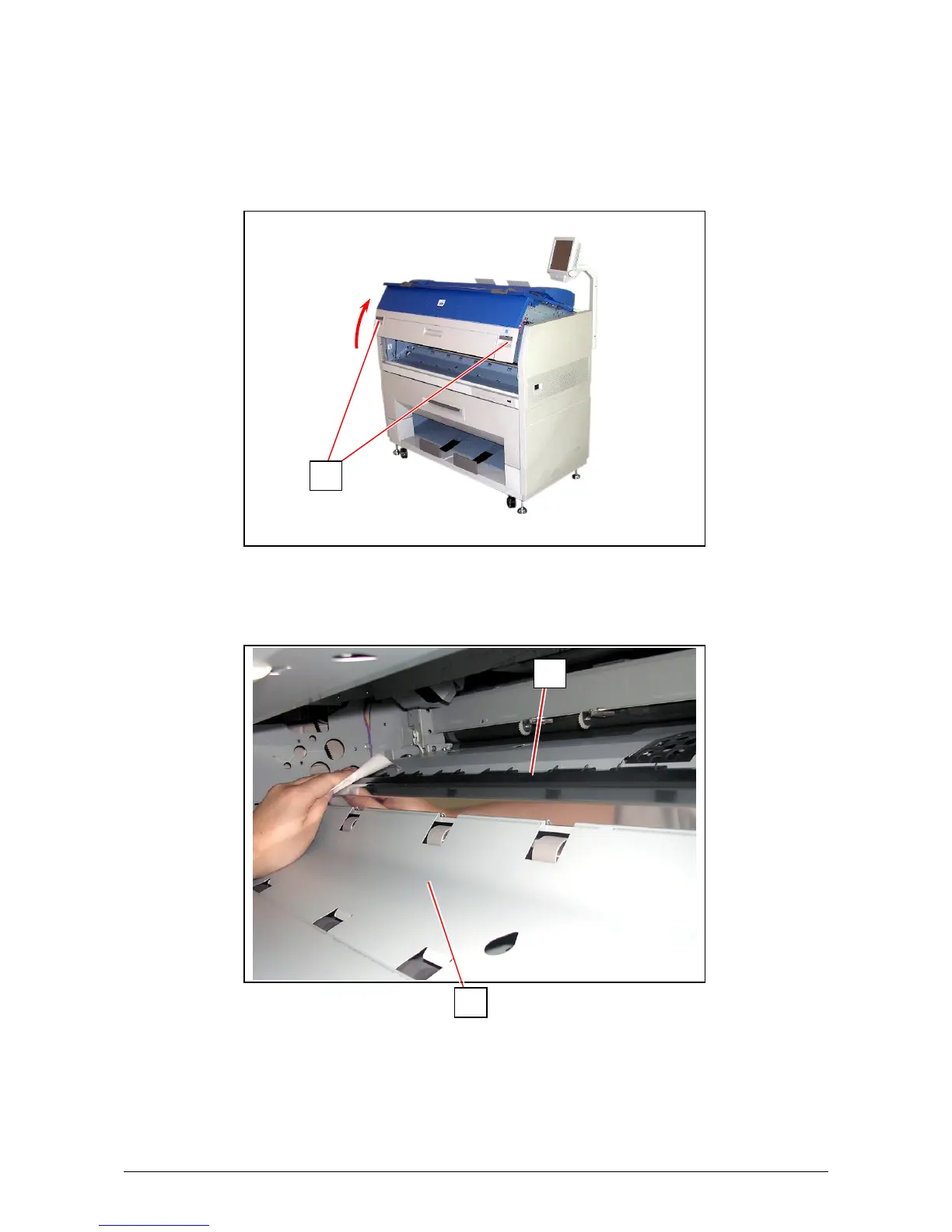
Clean Guide Plate once per a week, as the toner or paper dust may accumulates on such part
which may result in a defective print image.
1. Turn off KIP 3100.
2. Open the Engine Unit pulling up the Engine Unit Open Levers (1).
3. Wipe Guide Plate (2) (3: black rubber area) with a soft dry cloth to remove toner or paper dust.
1
2
3



 To Next Page