Chapter 2 Basic Operation 2-14
2. 5 Cut Sheet Media Placement
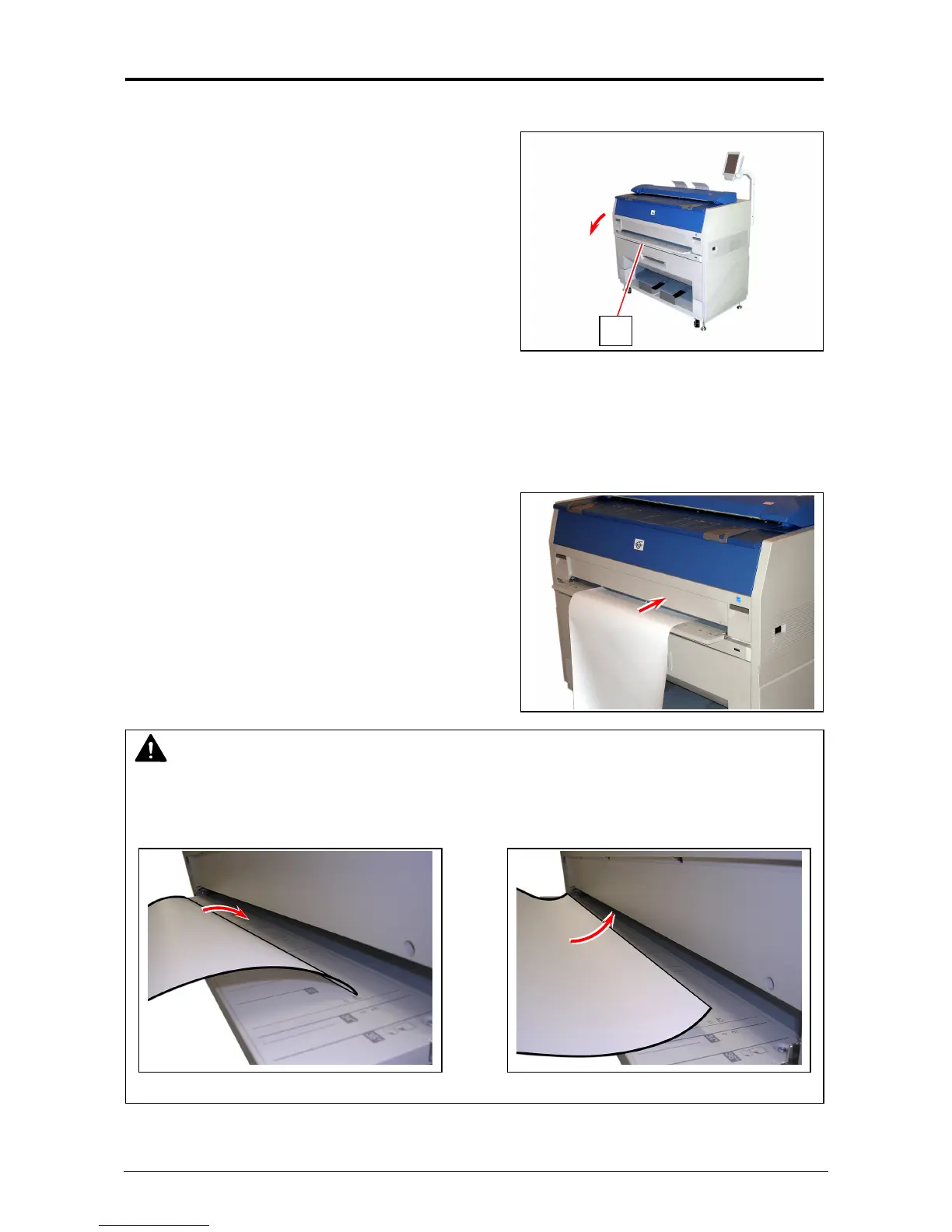
1. Open the Bypass Feeder (1).
2. There are several size markings on the table of Bypass Feeder which indicate possible feed
positions.
Place the cut sheet paper on the table between its concerning size markings then insert it into
the Bypass Feeder.
When the leading edge touches the feeding roller, the machine automatically carries and sets
the paper at the proper position.
1
NOTE
As a curly cut sheet will cause a mis-feed, straighten the sheet as far as possible before
printing. And set the sheet in “curl down” direction as a mis-feed can be avoided. “Curl up”
sheets tend to result in a mis-feed.
Correct (curl down) Incorrect (curl up)



 To Next Page