Chapter 2 Basic Operation 2-5
2. 3 Roll Media Replacement
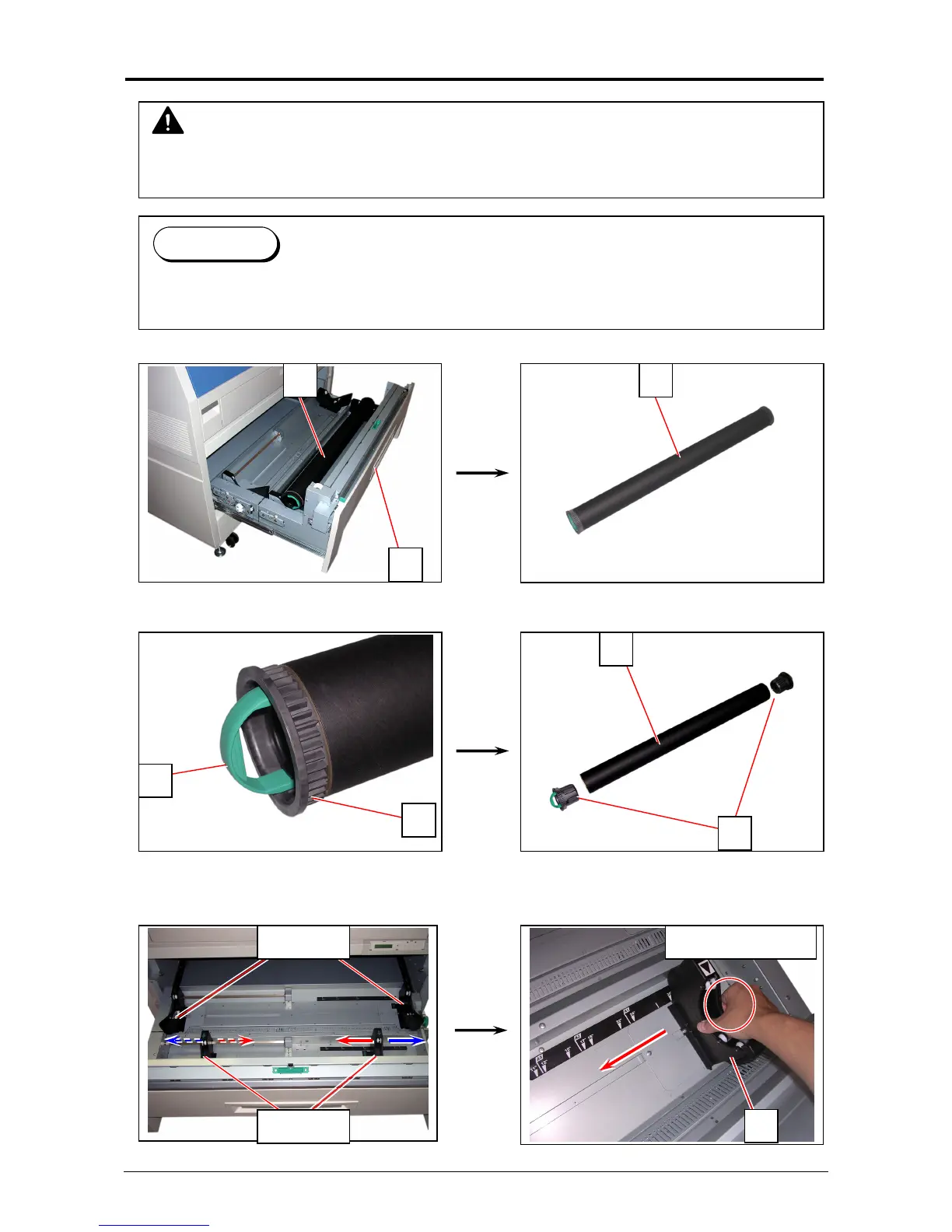
1. Open Roll Deck (1) and remove an empty roll core (2).
2. Raise the lever (3) on Flange (4) and remove 2 Flange (4) from the roll core (2).
3. Move a right Slide Guide (5) to match your roll media’s width.
The right and left Side Guides will automatically move together.
NOTE
(1) A paper mis-feed tends to occur just before out of a roll paper.
(2) A tracing roll paper is recommended to be loaded to Roll Deck 1 (front).
Reference
This section describes how to install a roll media to Roll Deck 1.
The same procedure is applied to Roll Deck 2, unless otherwise noted.
5
5: Roll 1
5: Roll 2 Hold here to slide
1
2 2
3
4
4
2



 To Next Page