Chapter 2 Basic Operations 2-11
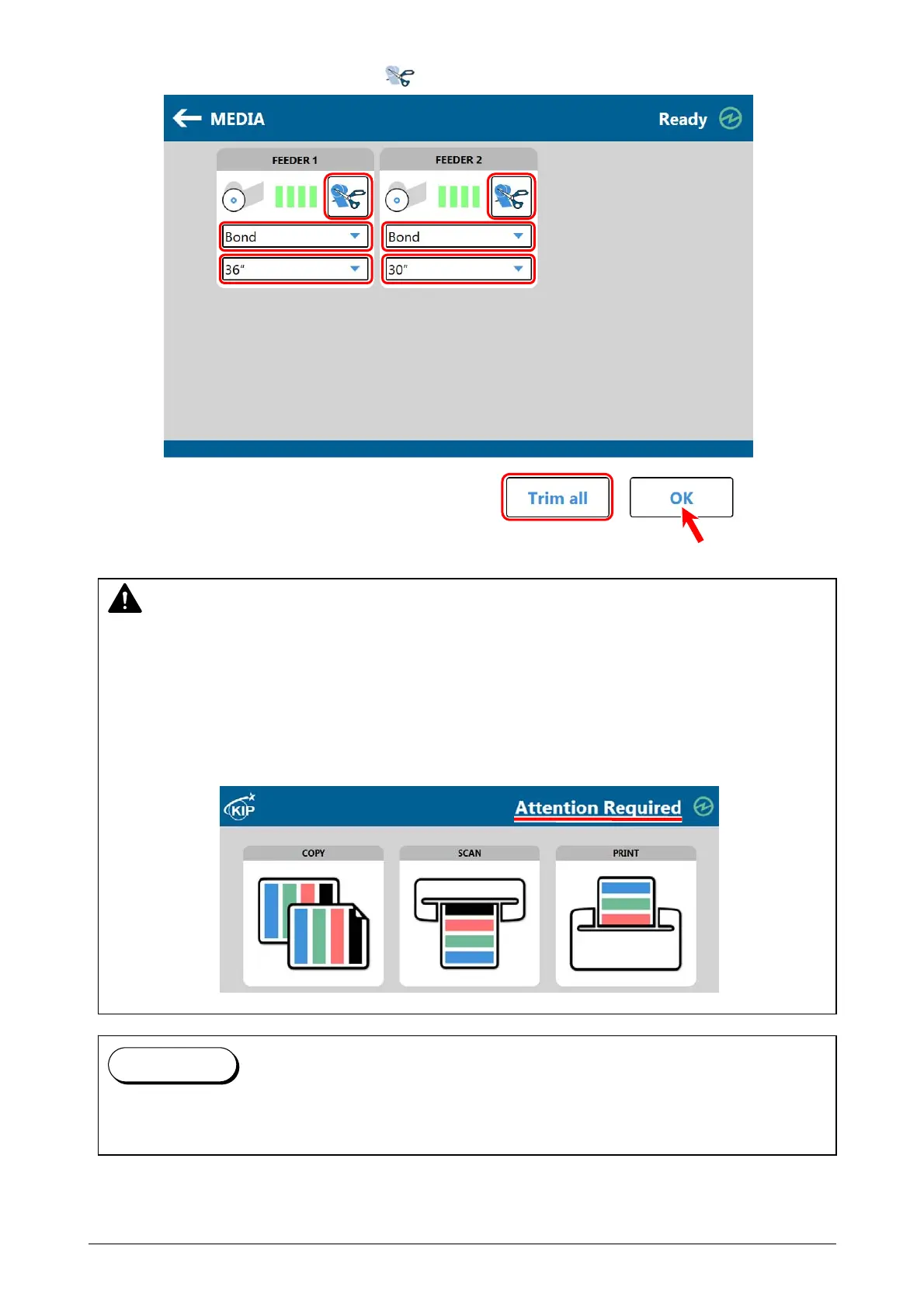
10. Define the media information (media type and width) with using the touch screen.
If necessary, press the Trim Button or Trim all Button and finally press [OK].
NOTE
(1) Incorrect settings would lead unexpected print results (fusing defect, improper image
quality).
(2) If no roll media is set properly or is installed in the deck, the printer status does not get
“Ready” and the touch screen shows “Attention Required”.
Follow the instruction in this section to set a roll media properly, and the status will get
“Ready”. If still “Attention Required” remains, contact your local service representative.
The printer will take a programmed internal automatic cleaning process when a roll media is
switched to another. Please wait until the cleaning finishes and the status gets “Ready”.
Reference



 To Next Page