Chapter 4 Maintenance 4-2
4. 1 Paper Exit section
4. 1. 1 Exit Rollers
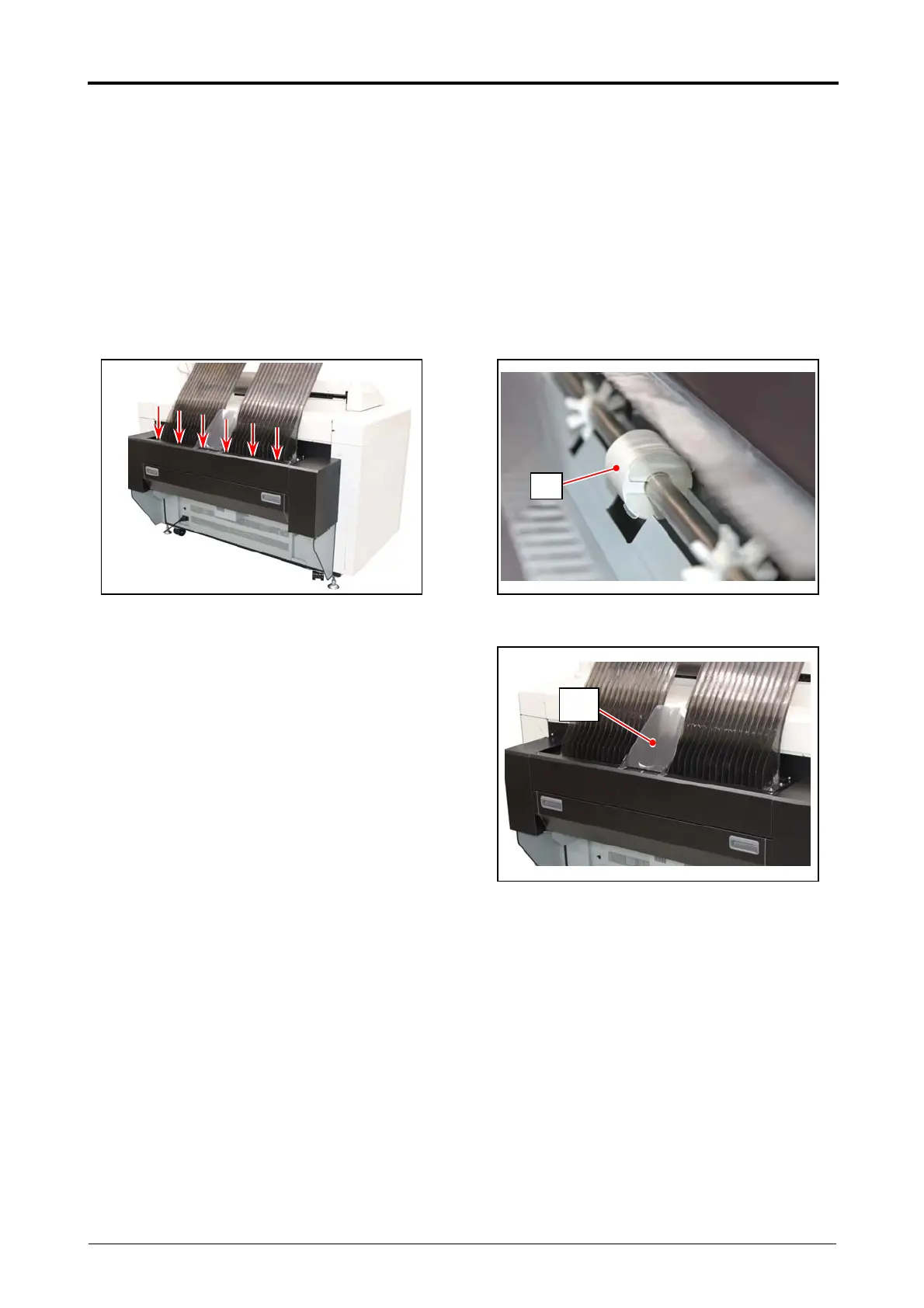
The dirt on the Exit Rollers may be adhered to the cutting face of the trailing part on the print.
For this case, please clean 6 Exit Rollers (1) on the Paper Exit section with the cloth which is
wrung out the water
For the prevention, cleaning these Exit Rollers once a week is recommended.
When producing many prints, check the state of the Exit Rollers (1) and suitably clean them.
The half circumference of the exposed Exit Roller can be cleaned by one cleaning work.
The entire circumference of the Exit Rollers can be evenly cleaned by the weekly cleaning.
1. Remove the Exit Tray 2 (2).
2
1



 To Next Page