Chapter 3 Error Correction 3-14
3. 1. 5 Scanner Section Jam (Scanner document jam)
(for KIP 660)
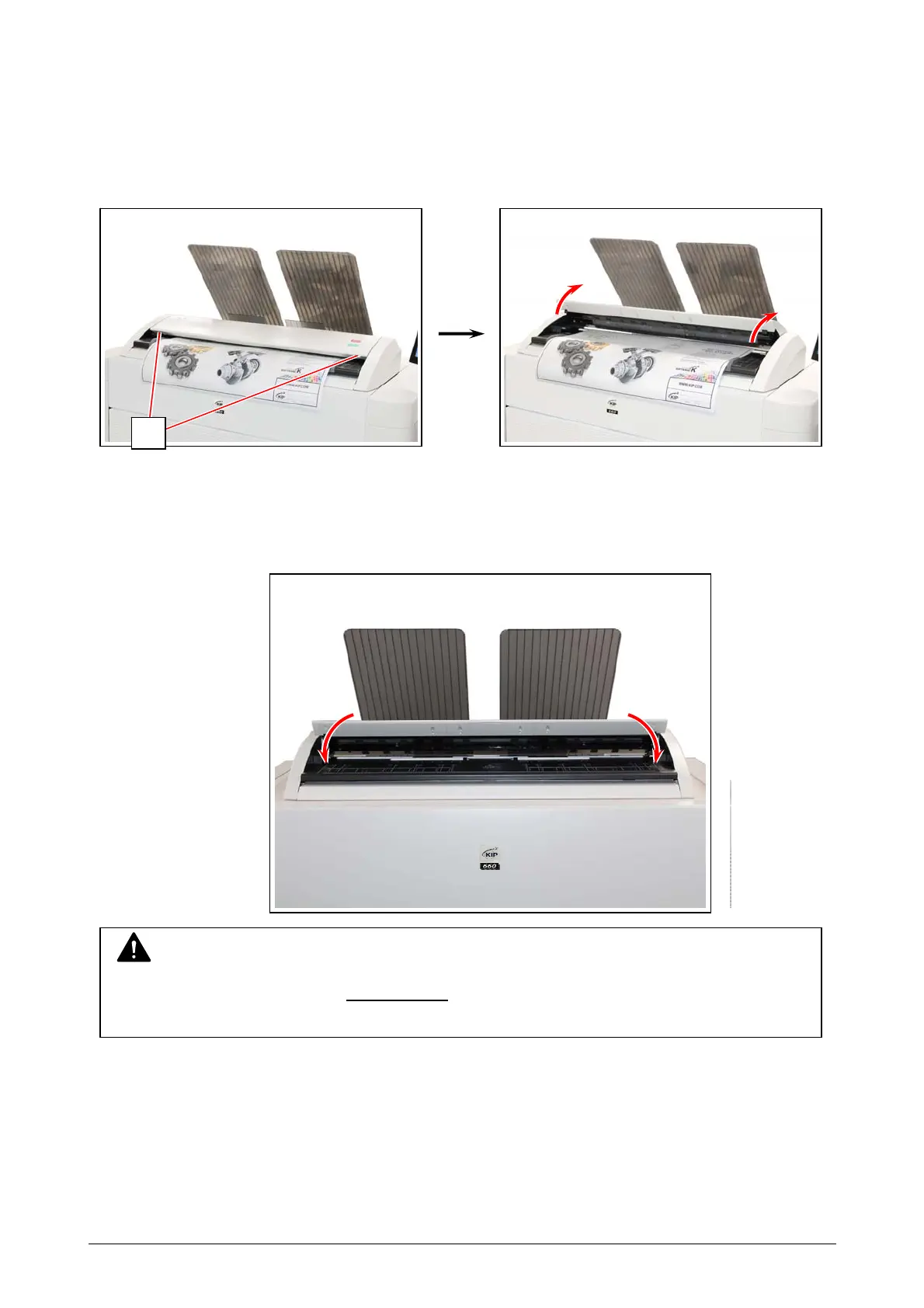
If an original is mis-fed while scanning, the UI screen shows “Scanner document jam”.
Follow the instruction below to remove the mis-fed original.
1. Lift up both sides (1) of the Scanner Unit
2. Remove a mis-feed original.
3. Gently press the Scanner Unit down and
firmly close it.
1
NOTE
Press down the Scanner Unit on both sides
to close it.
Do not close it by pressing only one side down.



 To Next Page