Chapter 2 Basic Operations 2-18
2. 5 Replacing the Waste Toner Box
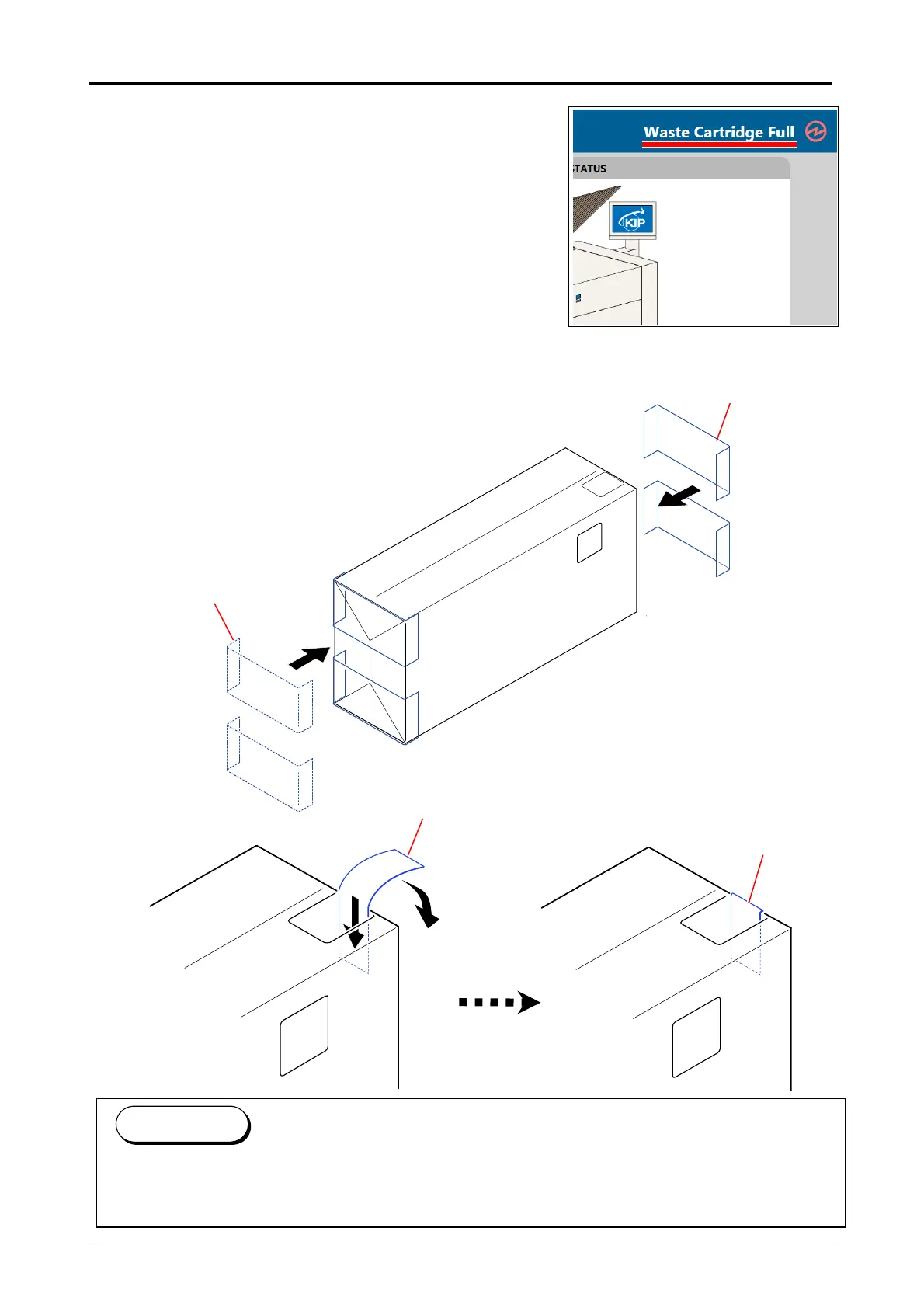
When the Waste Toner Box is full, the UI screen shows
“Waste Cartridge full.”
The printer does not restart operation until the Waste Toner
Box is properly replaced.
1. Follow the figures in below to assemble a new Waste Toner Box.
Sticker
(Large)
Sticker
(Large)
Sticker
(Small)
Stickers
(Small)
A sheet of Sticker (Large) still remains after assembling the new Waste Toner Box. This is to
be used to close the opening of the box when "waste toner full" occurs next time. Please keep
this remaining Sticker (Large) at any place where you easily can find it.
Reference



 To Next Page