4-4
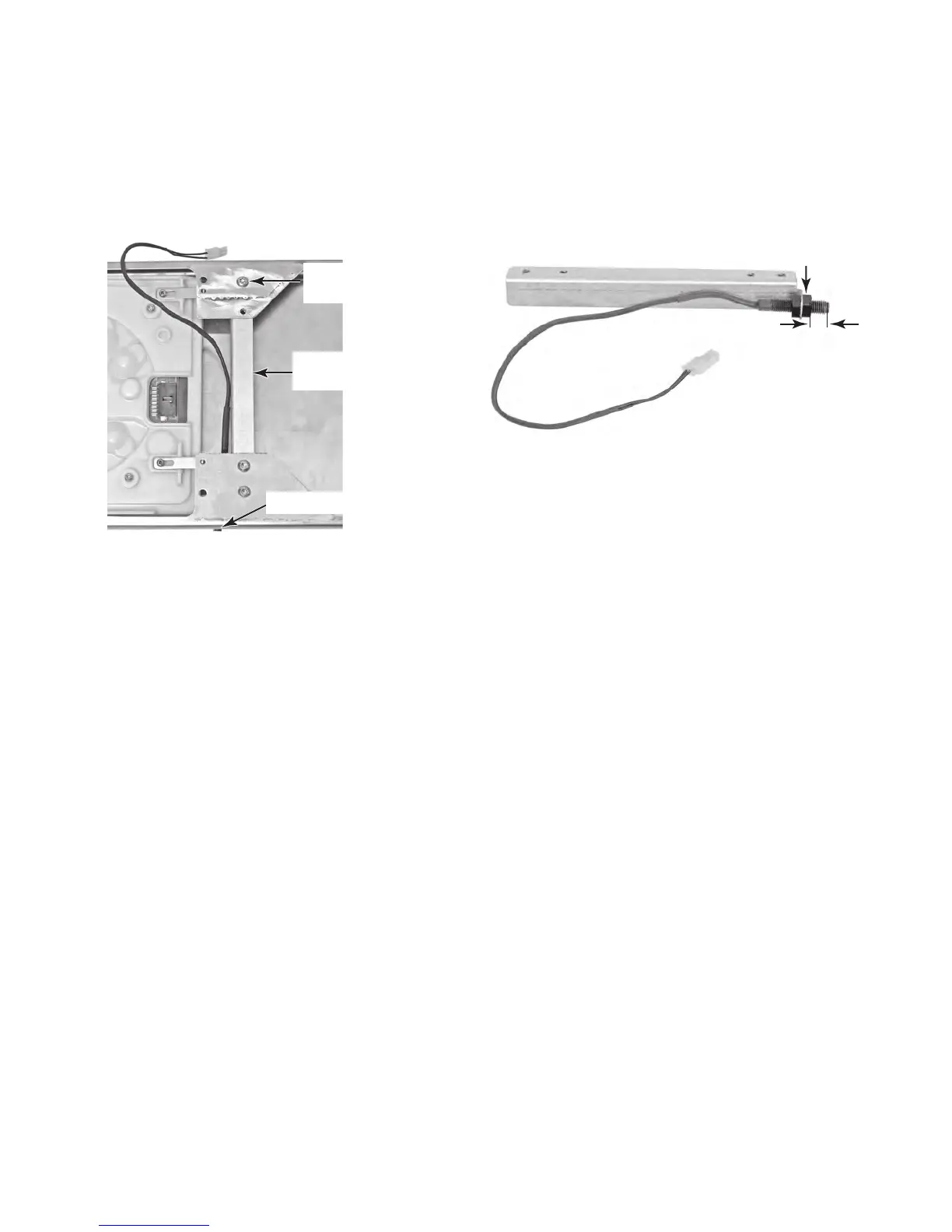
11. To remove the door sensor:
a) Remove the control panel (see page
4-2 for the procedure).
b) Remove the three T-20 screws from
the door sensor mounting bracket and
remove the bracket and sensor.
c) Remove the front nut from the door
sensor and remove the sensor from
the bracket. NOTE: When installing the
sensor, keep the end approximately 1/4˝
f
rom the front nut so the tip is flush with
the front panel when it is installed (see
above).
Door Sensor
Bracket
Bracket Screws
(1 of 3)
Sensor End Flush
1/4˝
Front Nut



 To Next Page