5-7
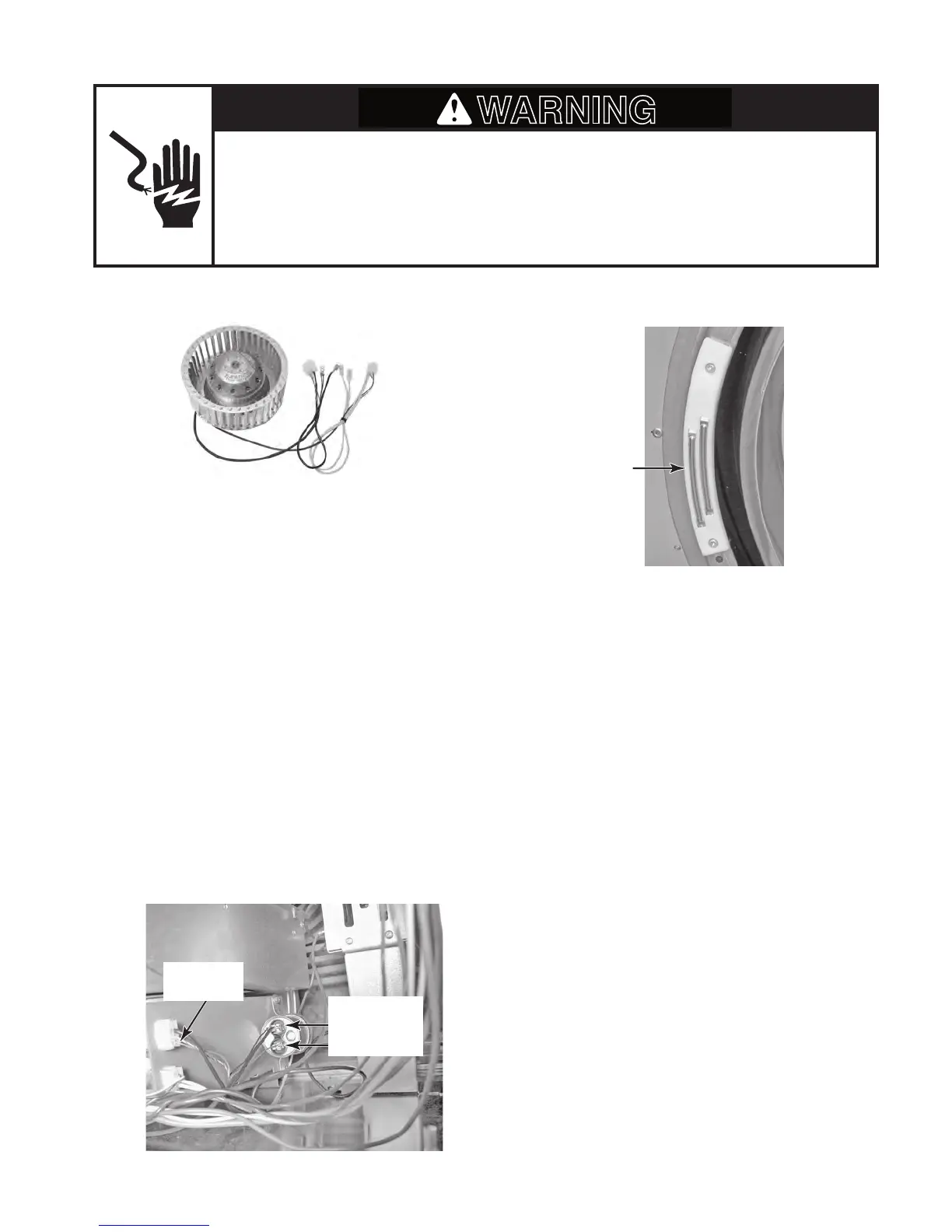
BLOWER MOTOR MOISTURE SENSOR
Refer to page 4-16 for the procedure for ac-
cessing the blower motor.
1. Unplug dryer or disconnect power.
2. Turn off gas supply to dryer.
3. Disconnect the wires from the blower mo-
t
or.
4. Set the ohmmeter to the R X 1 scale.
5. Touch the ohmmeter test leads to the fol-
l
owing motor plug wire connectors:
Small black wire at capacitor terminal
and small blue wire in top connector.
The meter should indicate between 25
and 37 Ω.
S
mall brown wire at capacitor terminal
and small blue wire in top connector.
The meter should indicate between 45
and 57 Ω.
•
•
Refer to page 4-22 for the procedure for ac-
cessing the moisture sensor.
1. Unplug dryer or disconnect power.
2. Turn off gas supply to dryer.
3. Disconnect the wires from the moisture
sensor.
4. Set the ohmmeter to the R X 1 scale.
5. Touch the ohmmeter test leads to the
sensor connector pins. The meter should
indicate an open circuit (infinite).
6. Bridge the two sensor strips with a wet cloth.
The meter should indicate continuity.
Electrical Shock Hazard
Disconnect power before servicing.
Replace all parts and panels before operating.
Failure to do so can result in death or electrical shock.
Small Black
Small Brown
Capacitor
Moisture
Sensor
Small Blue
Connector


 To Next Page