85
Digital Astronomic Timer
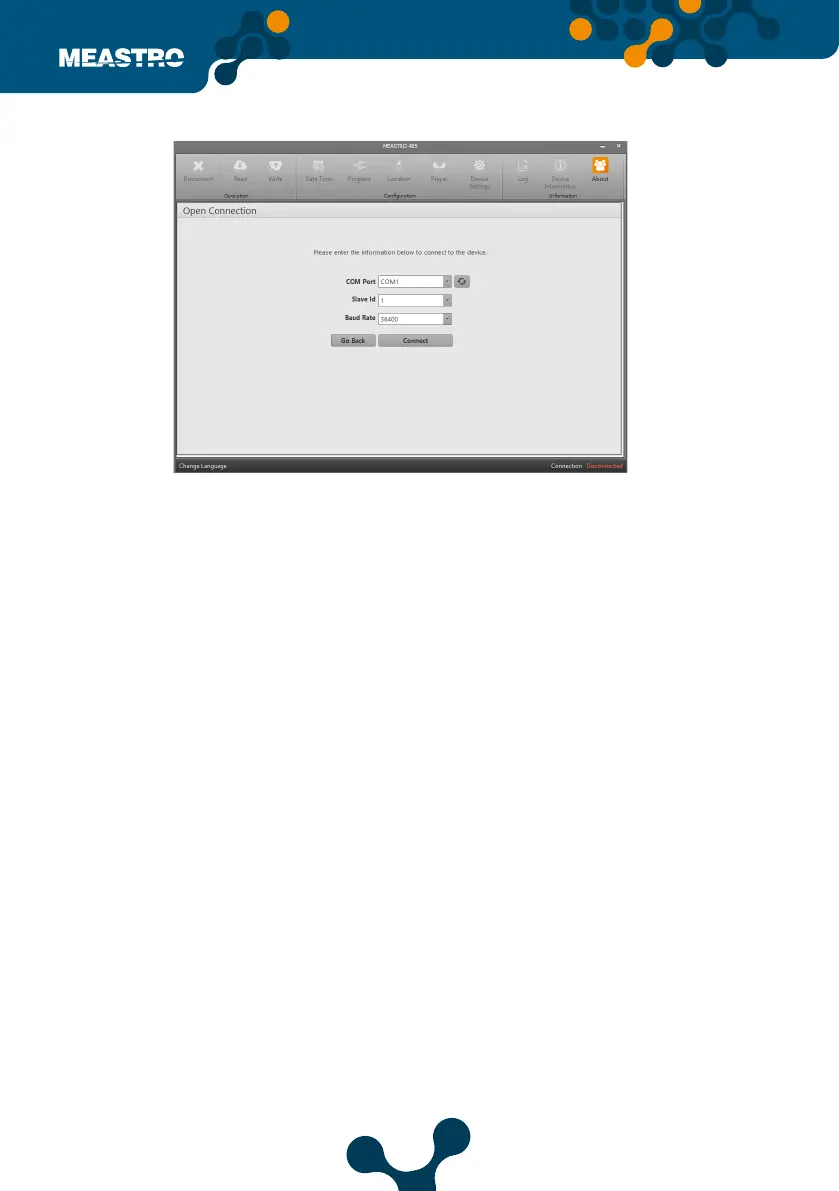
If the correct port does not appear in the list when connecting to PC via USB cable, the list can
be updated by clicking ‘Refresh’ button. Click on connect button after ‘COM - X’ is selected.
Slave Id: The Slave Number of the communication device to which the Meastro-RS 485 is con-
nected must be entered.
Baud Rate:The baud rate of the communication device to which the Meastro-RS 485 is connect-
ed must be entered.
After the values are entered correctly, click ‘Connect’ button.
Connect with USB,
Figure 5-22 Connect with USB


 To Next Page