89
Digital Astronomic Timer
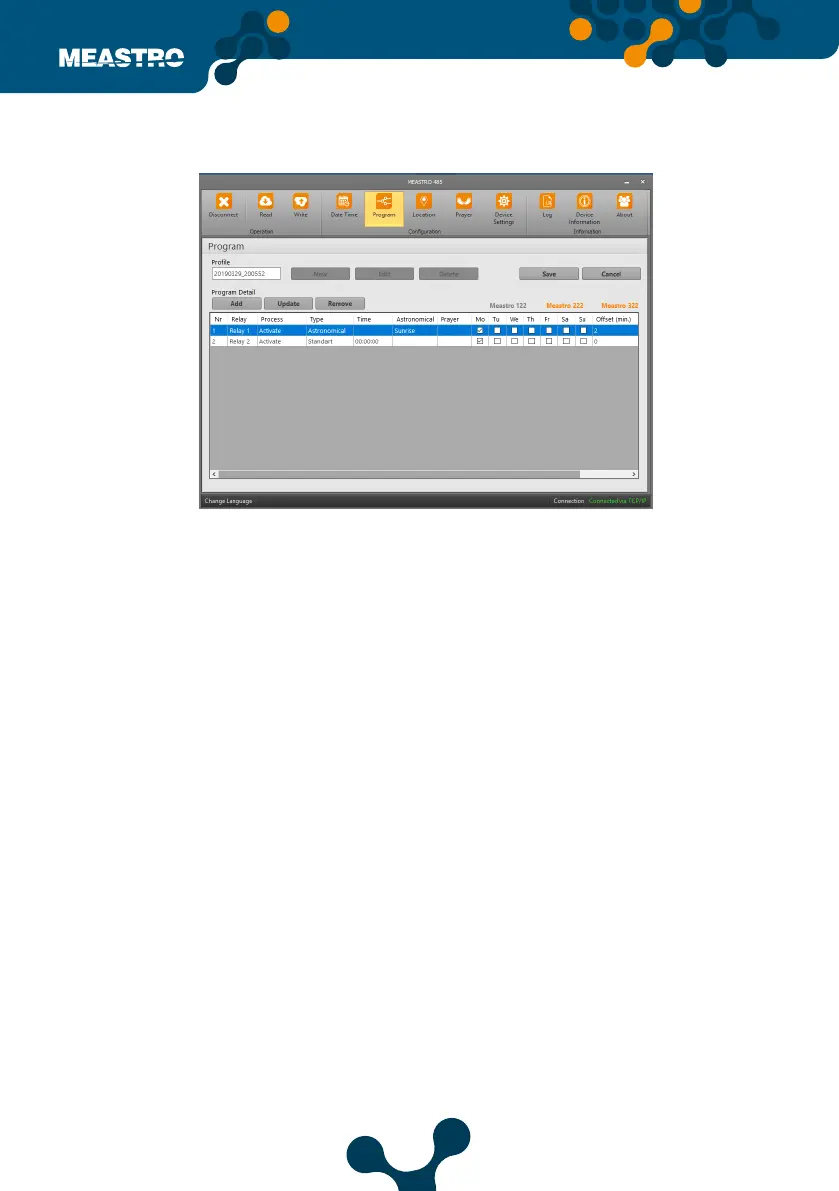
Note: Depending on the type of program added, the device names in the upper right corner
will appear orange if the set type supports it. If the set program type does not support the
device will appear gray.
Click ‘Save Program Detail’ button after setting the relevant relay. The screen will look like this
after the program is registered,
Figure 5-27 Meastro User Interface Program Program Tab


 To Next Page