86
Digital Astronomic Timer
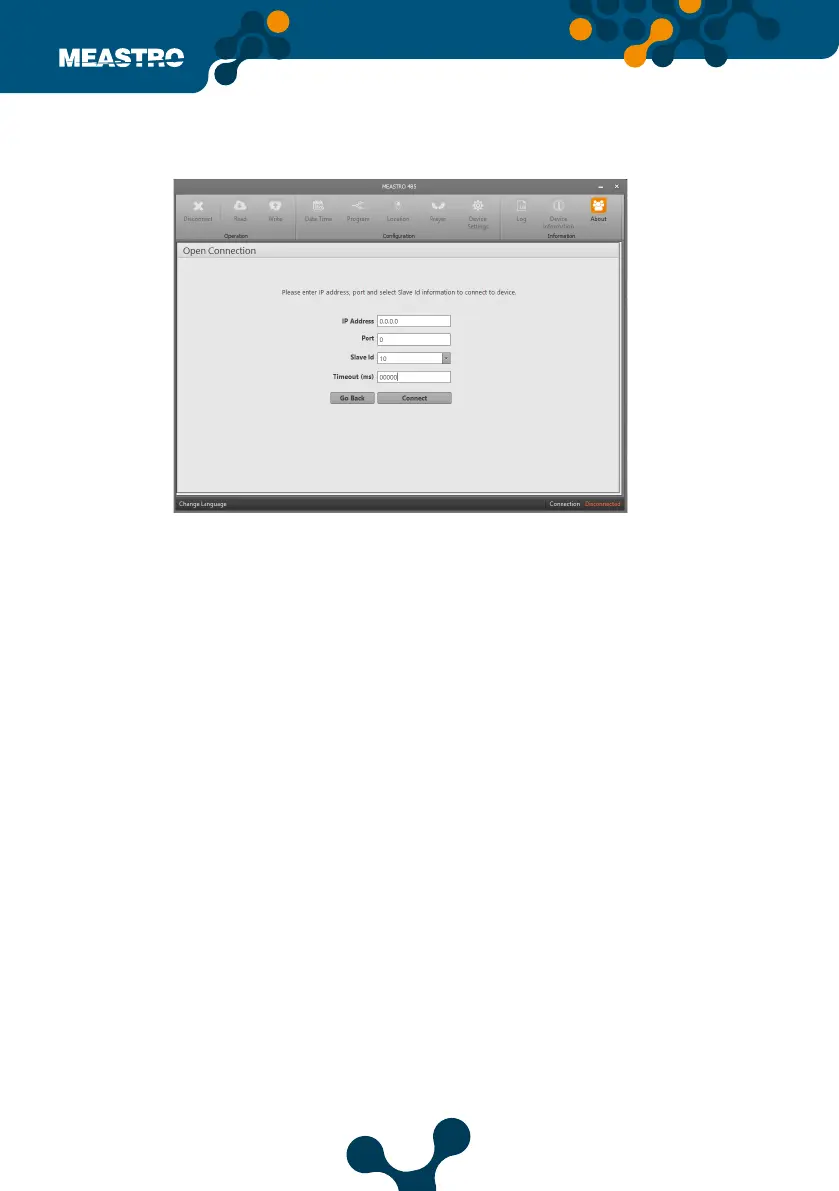
In this tab, values entered for the device that helps to communication between the computer
and the device.
IP address: Meastro RS485 is connected the IP value of the communication device is entered.
Port: The Port value of the communication device to which the Meastro-RS485 is connected is
entered.
Slave Id: The Slave No value of the communication device to which the Meastro-RS485 is
connected is entered.
Timeout (ms): After the user-entered queries are asked from the serial line, they are expected
to respond again.
The length of time the device will wait can be determined by this parameter.
Note:The descriptions on the following pages are valid for two connection types.
Connect over TCP/IP,
Click ‘Connect via TCP / IP ‘. After clicking, the following screenshot will appear.
Figure 5-23 Connect over TCP/IP


 To Next Page