Back
Next
Index
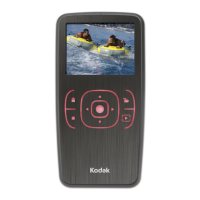
Digital Buttons
The Four-way switch and the Menu, OK, Tag,
and Cancel buttons activate the digital functions.
Four-way Switch
Press the left or right side to:
✔ Navigate through images
✔ Navigate the Menu bar
✔ Move the Region of Interest box (Zoom
mode)
Press the top or bottom to:
✔ Change the Display mode
✔ Navigate a drop-down menu
✔ Move the Region of Interest box (Zoom
mode)
Menu Button
✔ Toggles the Menu bar off and on
OK Button
✔ Turns on the Image LCD
✔ Enables the Region of Interest box (Zoom
mode) and implements a zoom when
Region of Interest box is enabled
✔ Implements a highlighted menu option
✔ Deletes the active image (Delete mode)
Tag button
✔ Tags or untags the selected image
Cancel Button
✔ Exits from menus without applying changes
✔ Turns off the Image LCD
✔ Disables the Region of Interest box (Zoom
mode)






 To Next Page