A-61560 January 2010 4-9
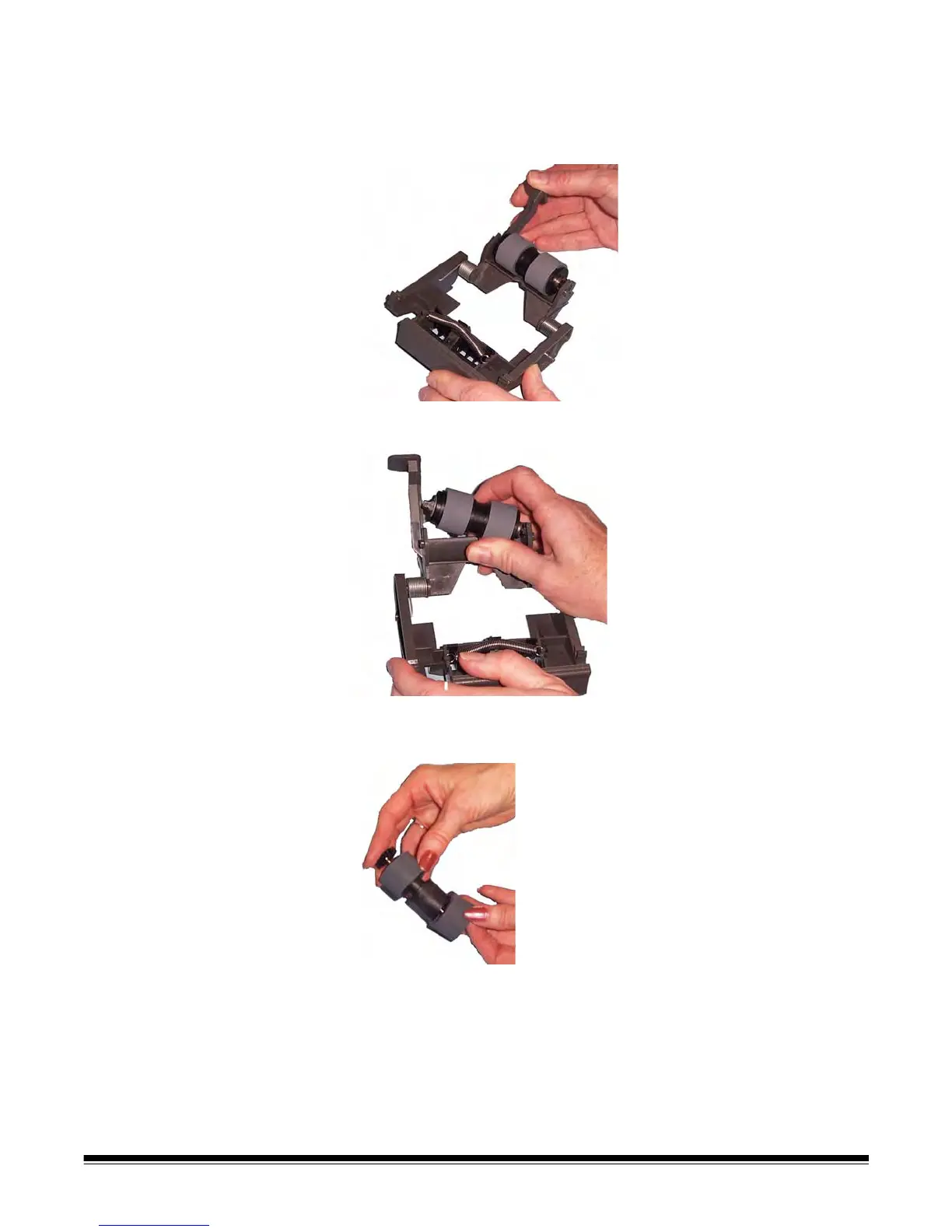
2. Holding onto the separation module, rotate the release lever back
so you can access the separation roller.
CAUTION: Use caution as the release lever is spring-loaded and
will snap back if you do not hold it in place.
3. Remove the separation roller from the separation module housing.
4. Remove each tire by sliding the tire off the core.
5. Install each new tire by gently pulling it over the core.
IMPORTANT: Do not overstretch the tire, it may tear.
6. Reinstall the separation roller in the separation roller housing. Be
sure the separation roller snaps into place.
7. Reinstall the separation module by aligning the tabs with the slots
and snapping it into position.


 To Next Page
 Loading...