4-6 A-61550 February 2010
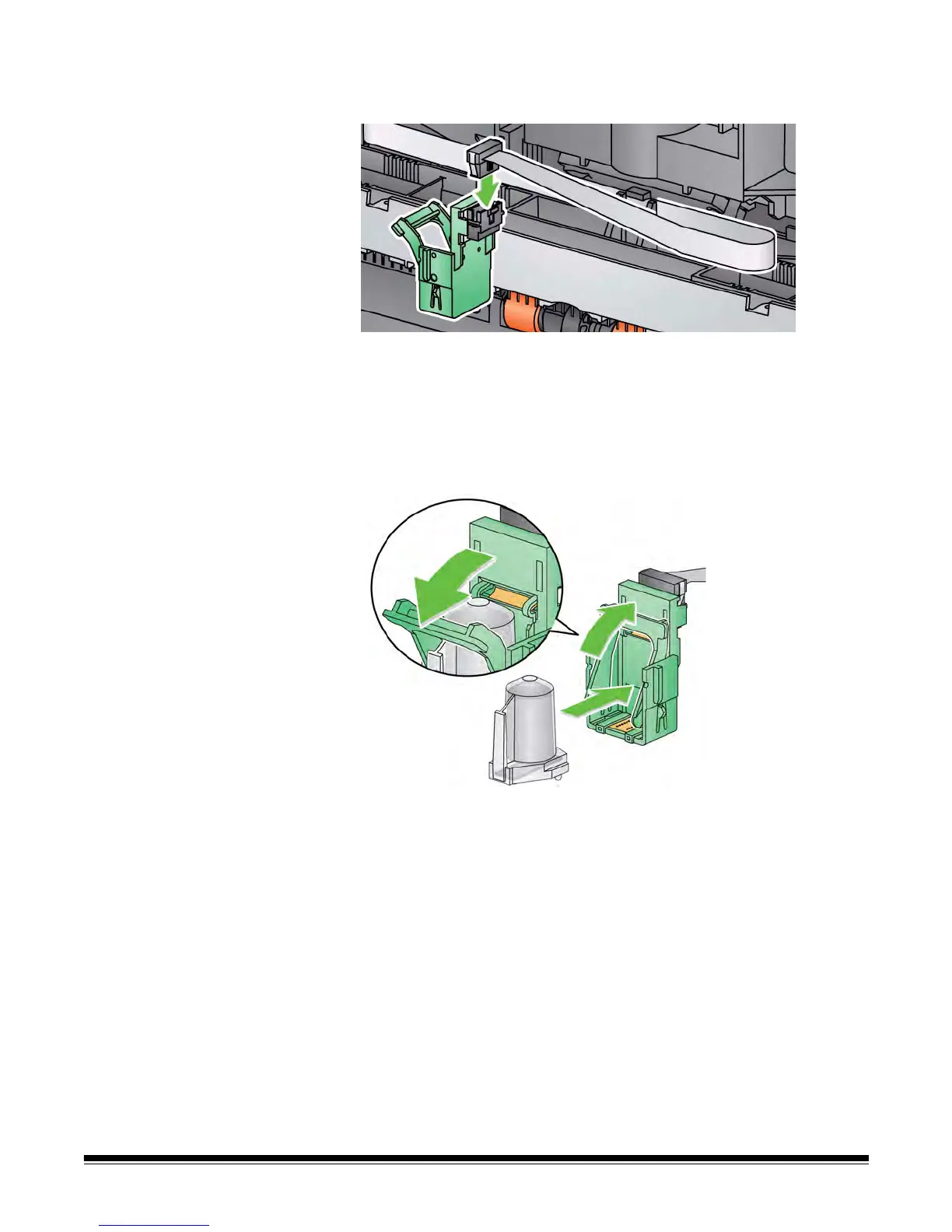
Document printer 1. If you are installing the ink cartridge for the first time, push the
connector on the printer cable firmly into the printer carrier.
NOTE: If you are replacing an ink cartridge, the printer cable will
already be installed and you just need to remove the printer
carrier from it’s position and remove the empty ink
cartridge.
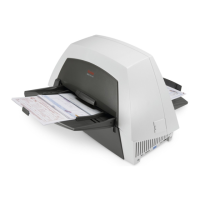
2. Open a new ink cartridge, slide it into the printer carrier and lower
the locking bar around the ink cartridge.
NOTE: If the ribbon cable should become disconnected, snap it
back into position.


 To Next Page