A-61550 February 2010 4-11
Replacing the ink
blotter strips
The two ink blotter strips in the scanner transport area collect ink
overflow. To order additional ink blotter strips, see the section entitled,
“Supplies” later in this chapter.
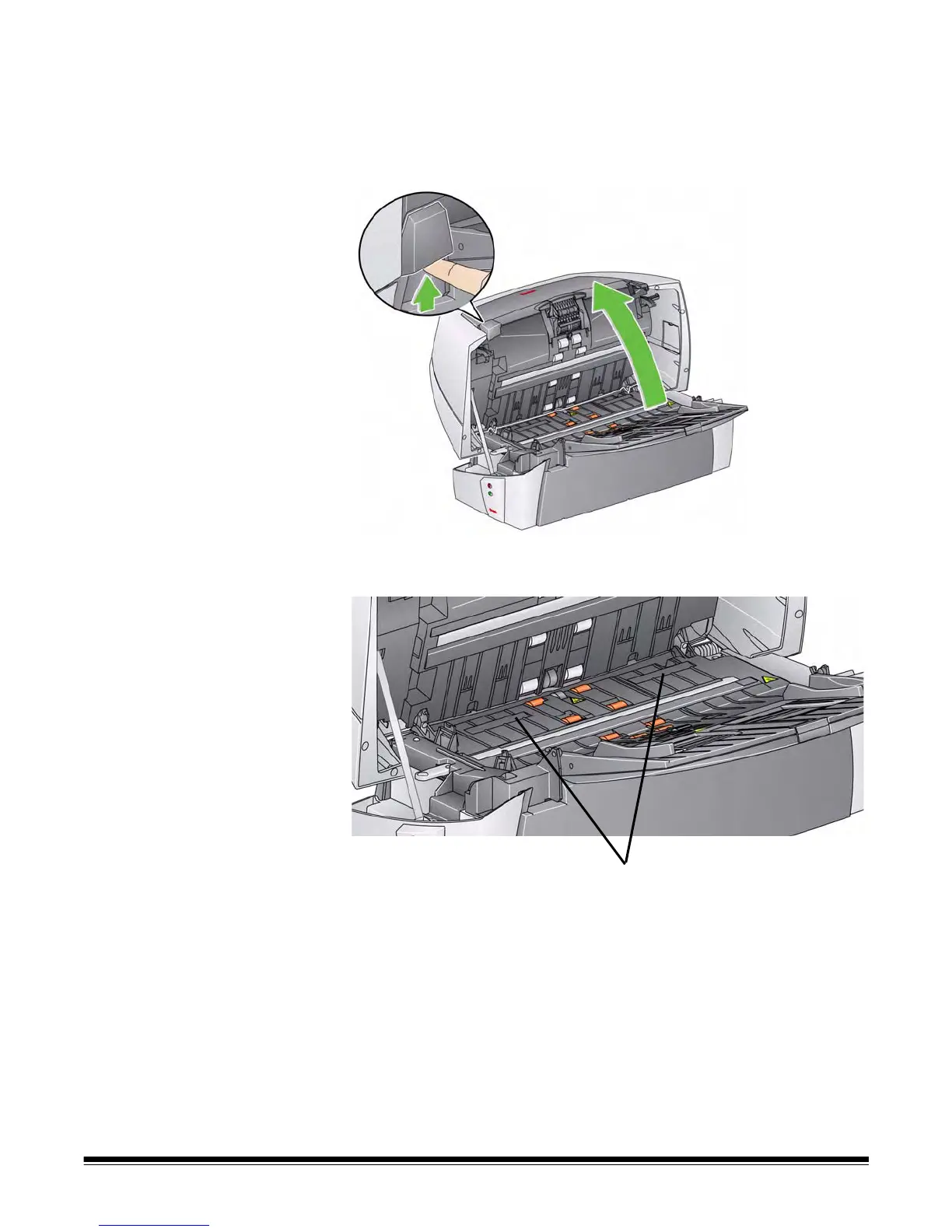
1. Push up on the scanner cover release latch and open the scanner
cover.
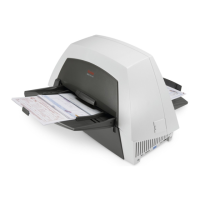
2. Locate the two blotter strip channels. These channels are where the
blotter strips will be installed or replaced.
3. If you are replacing a blotter strip, proceed with Step 5, if not, go to
Step 6.


 To Next Page