A-61550 February 2010 5-11
Replacing the
separator module and
separator module tires
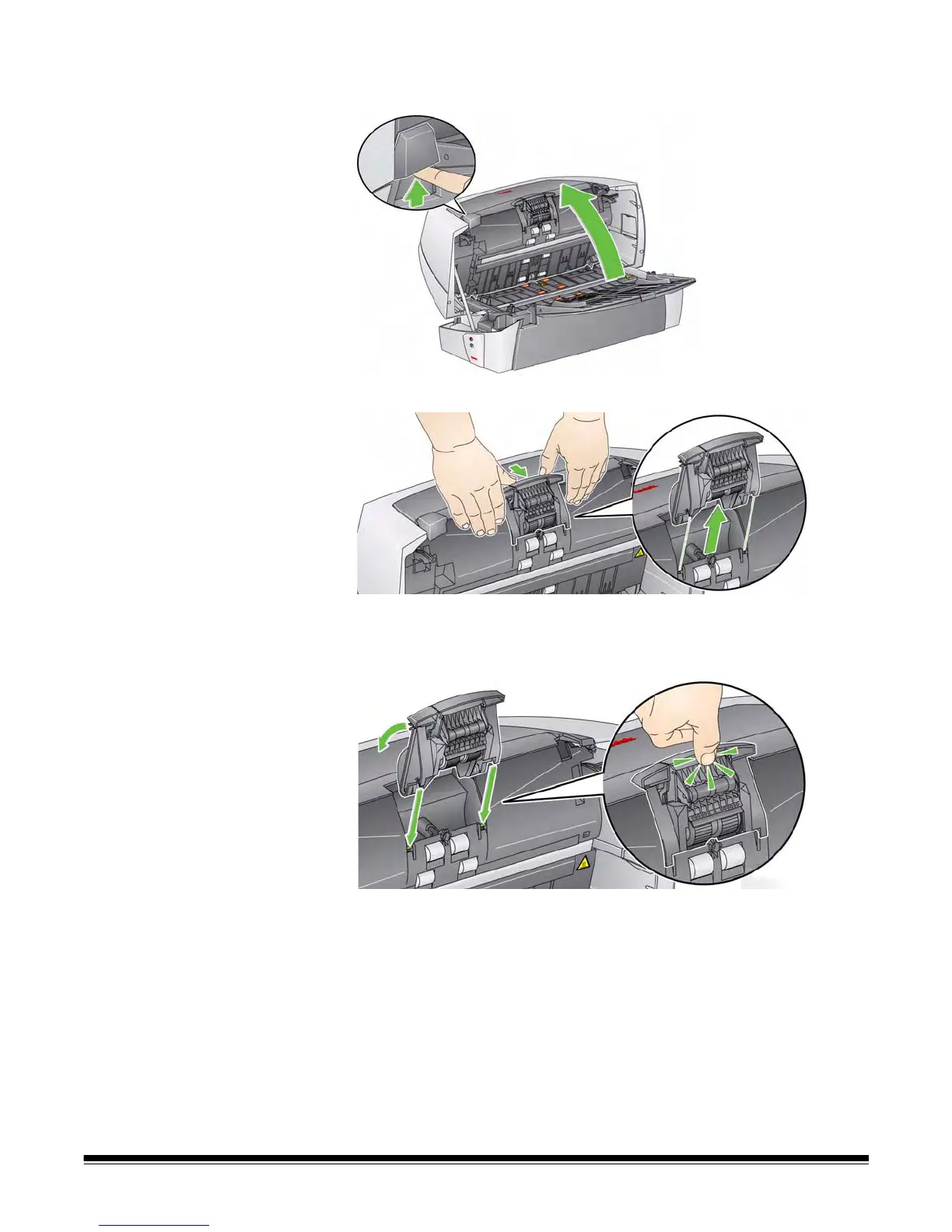
1. Push up on the scanner cover release latch and open the scanner
cover.
2. Lift the separator module up and out of position.
3. If you are just replacing the separator module, insert the new
separator module by aligning the shaft ends and snapping it into
position.
If you are replacing the separator module tires, continue with the
next step.


 To Next Page