5-14 A-61550 February 2010
Replacing the imaging
guides
Replacing the upper imaging guide
(for i1405, i1420 and i1440 Scanners only)
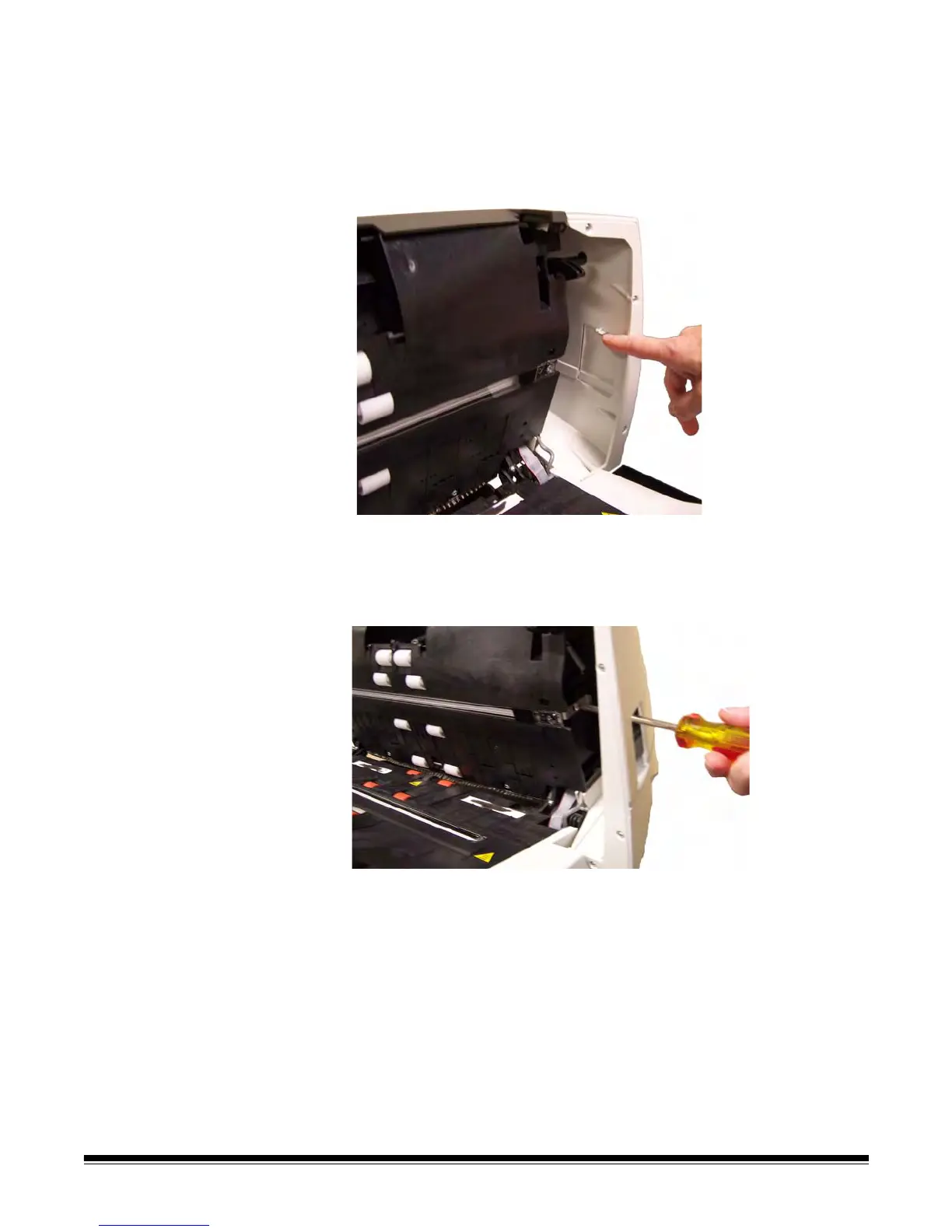
1. Open the scanner cover and locate the door on the right side of the
scanner. Removing the side door will allow you to insert a
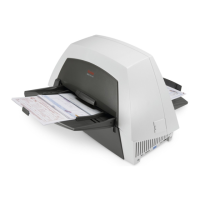
screwdriver through the door opening to access the upper imaging
guide.
2. Push down on the tab (shown above) to remove the side door. Set
the side door aside.
3. Using a Phillips Head screwdriver, loosen the screw from the upper
imaging guide bracket (slide the bracket over).


 To Next Page